Cornell University · MS Design Technology
Alongside the design studio, four business courses: Design and Innovation, Innovation & New Product Management, Strategies for Sustainability, and AI & Society.
Open to APM, product & UX roles · Full-time from May 2027
Hi, I'm Lisa.
I work on product strategy and service design, from user research through to delivery.
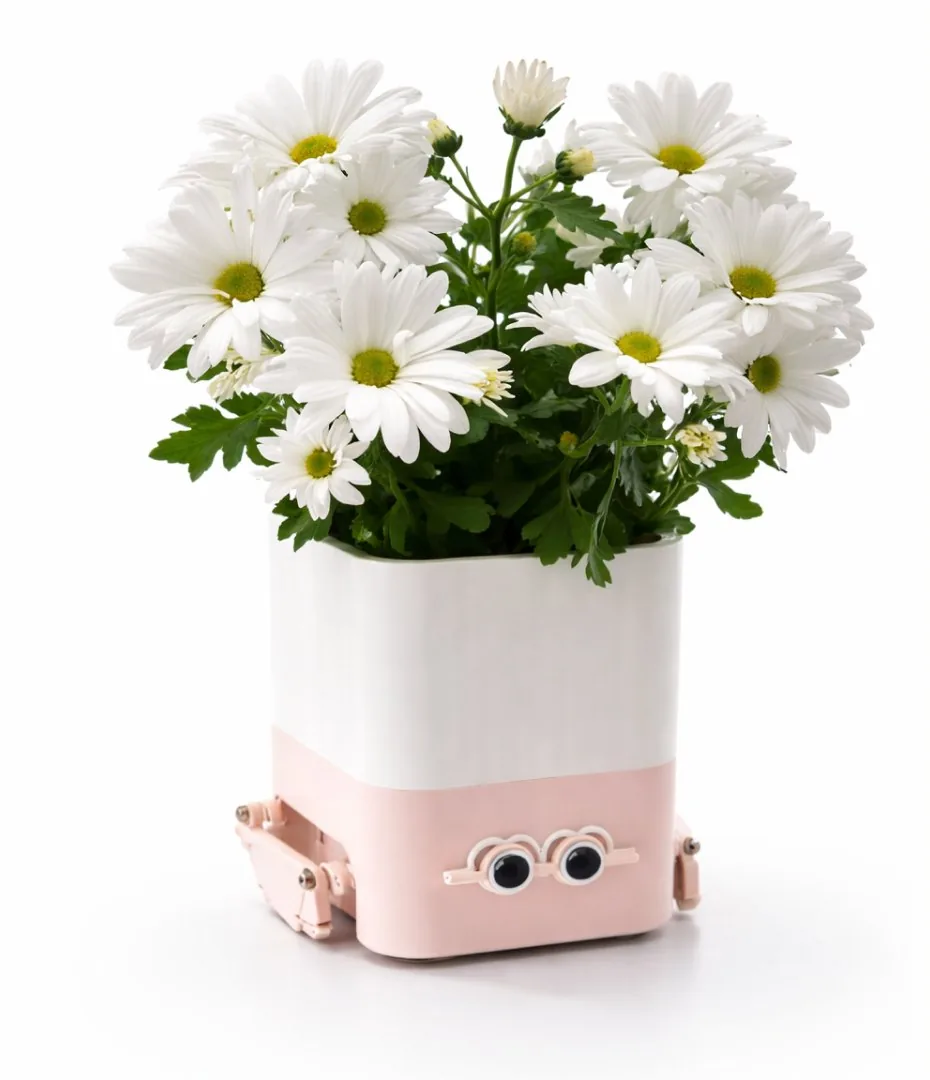
A plant-care robot with a personality that seeks out light and expresses the plant's needs through its face and moods.
Read the case study →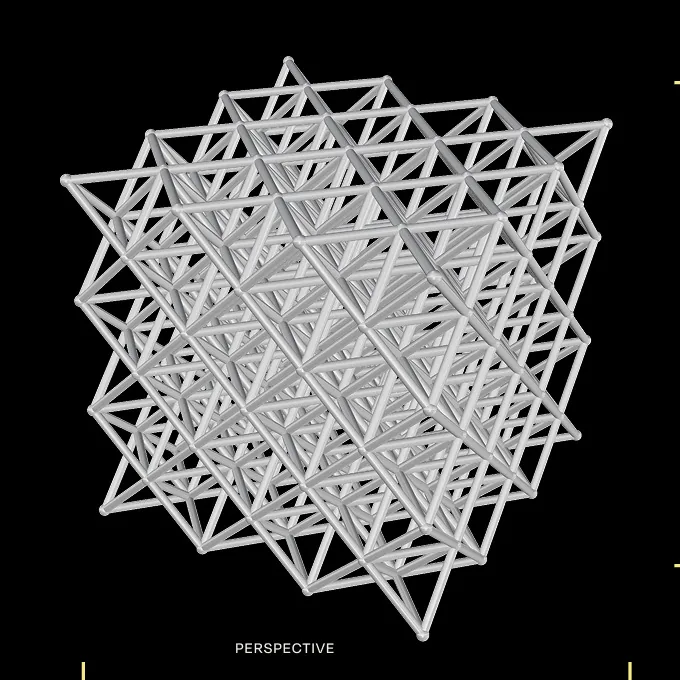
A design tool for 3D-printed parts that move by bending rather than hinges, built on structures we printed and tested.
Read the case study →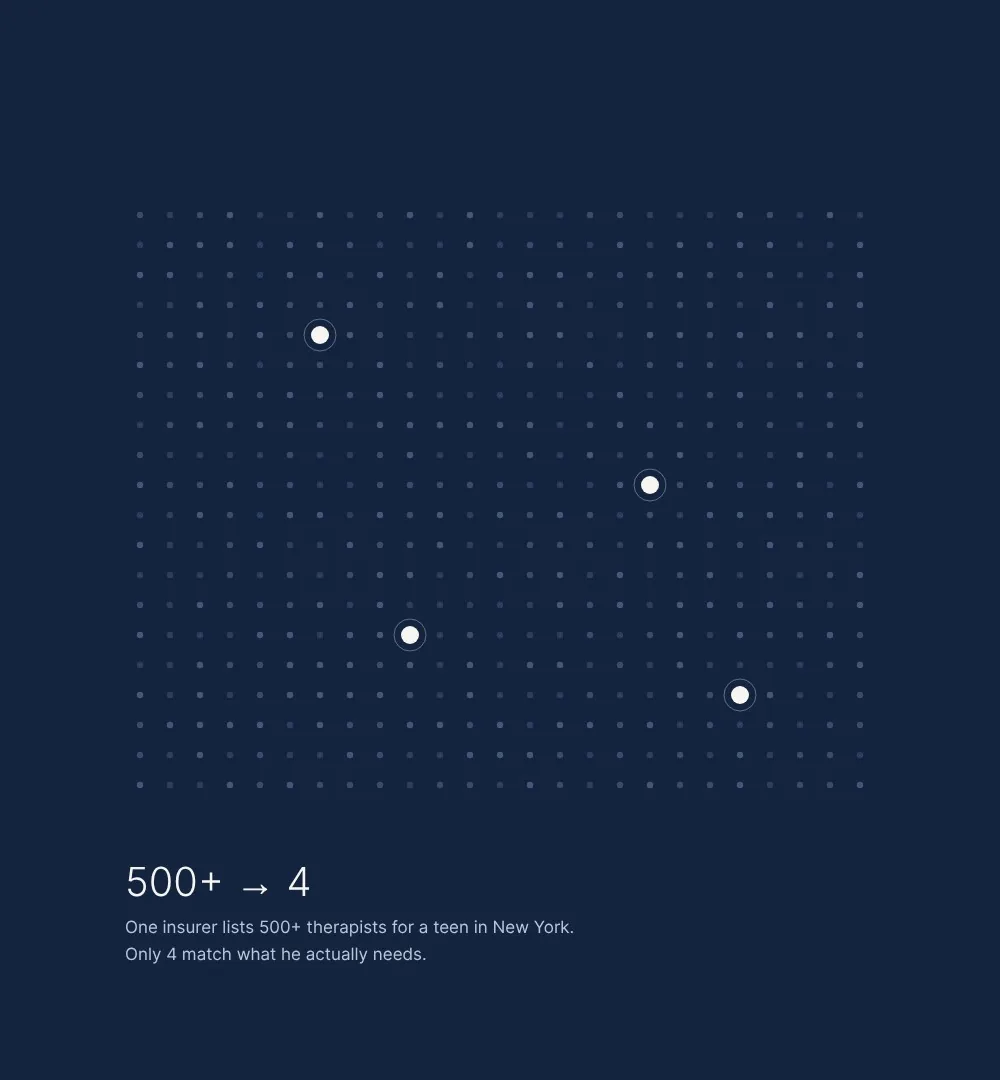
A service that helps patients secure insurance coverage for the therapist they need.
See the work so far →
A contactless bedside sleep system that guides each night, from wind-down to wake-up.
See the work so far →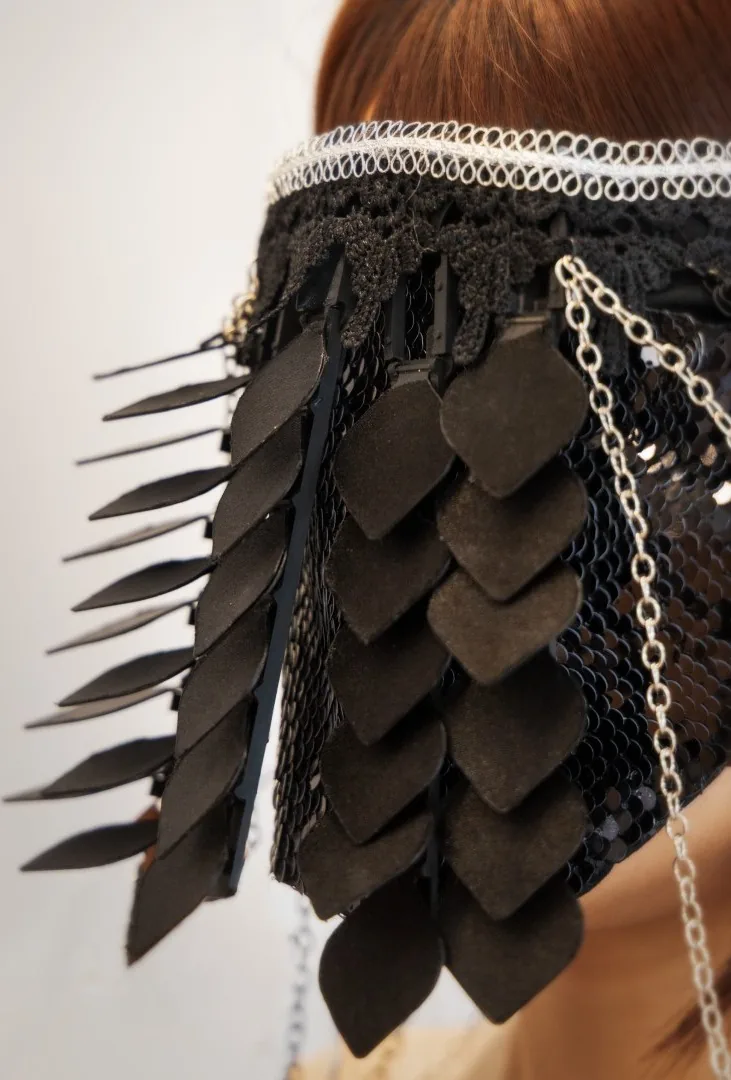
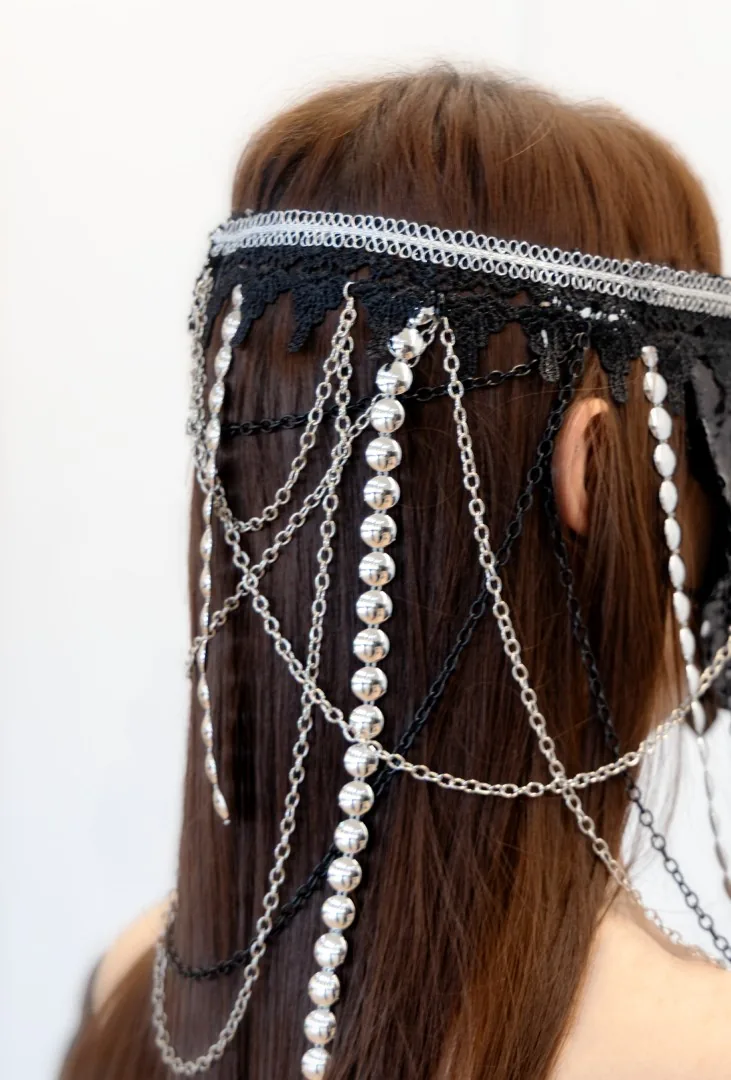
A wearable mask that translates other people's gaze into touch.
Read the case study →Projects from my BA in User Experience Design at UAL, including my two graduation projects.
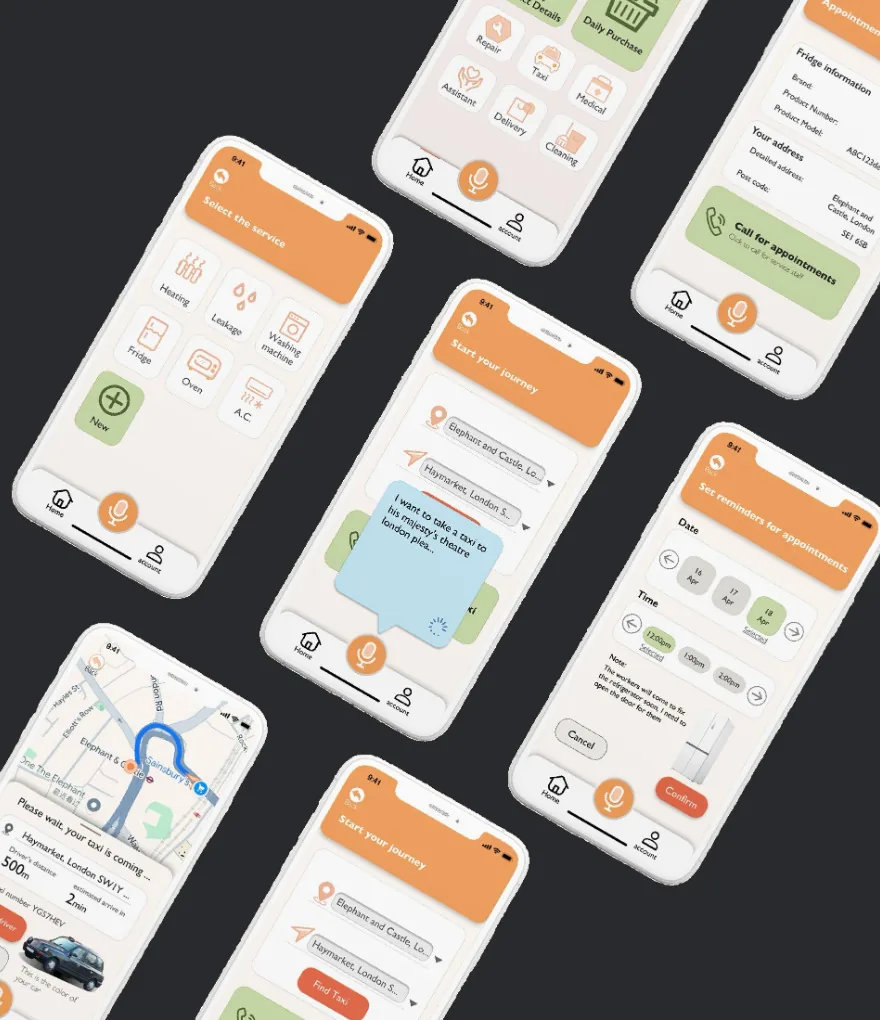
NFC cards that let older adults call a taxi or book a repair with one tap.
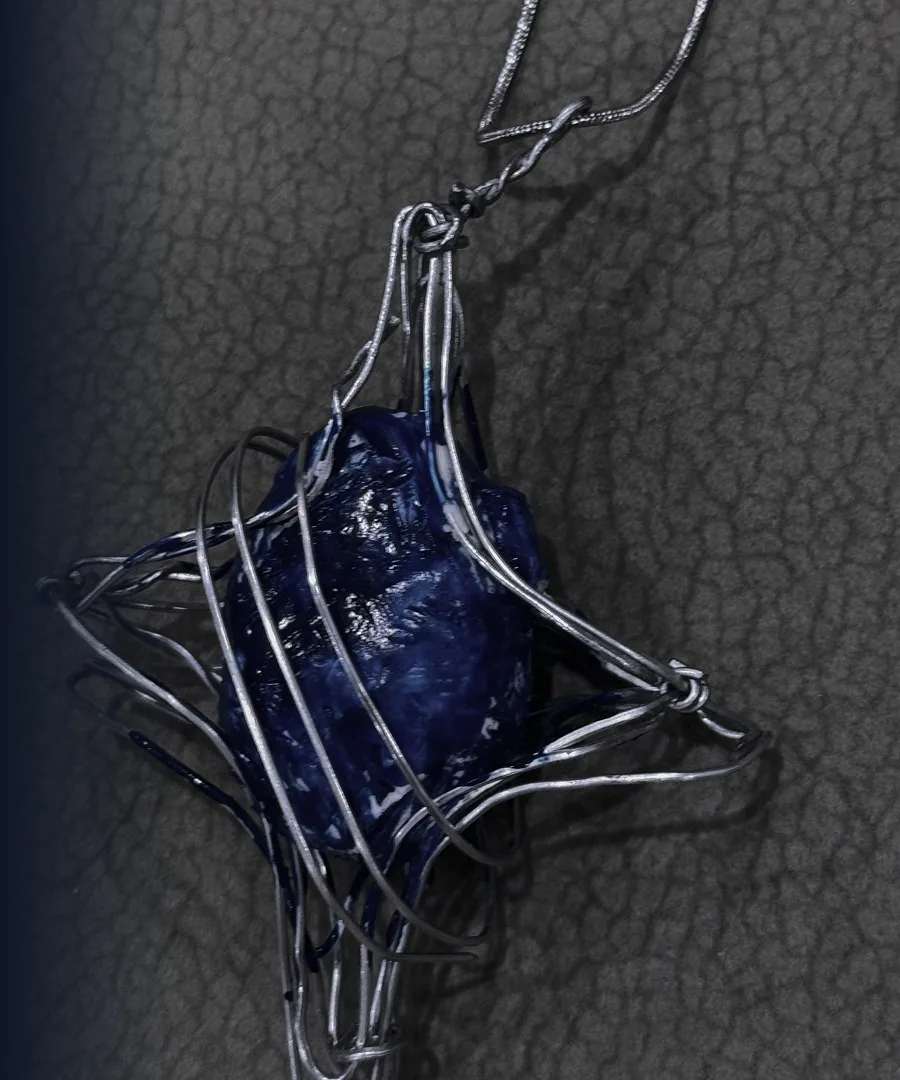
An interactive pendant for long-distance relationships.
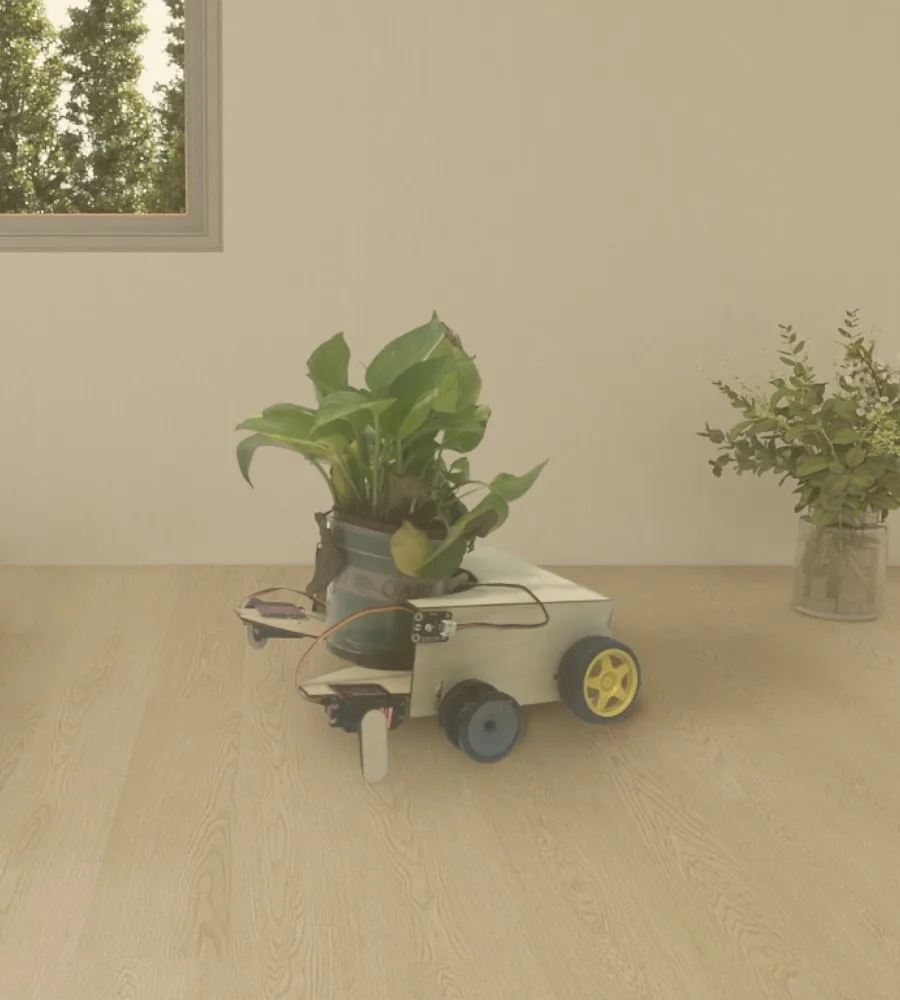
A small robot that moves potted plants into sunlight.
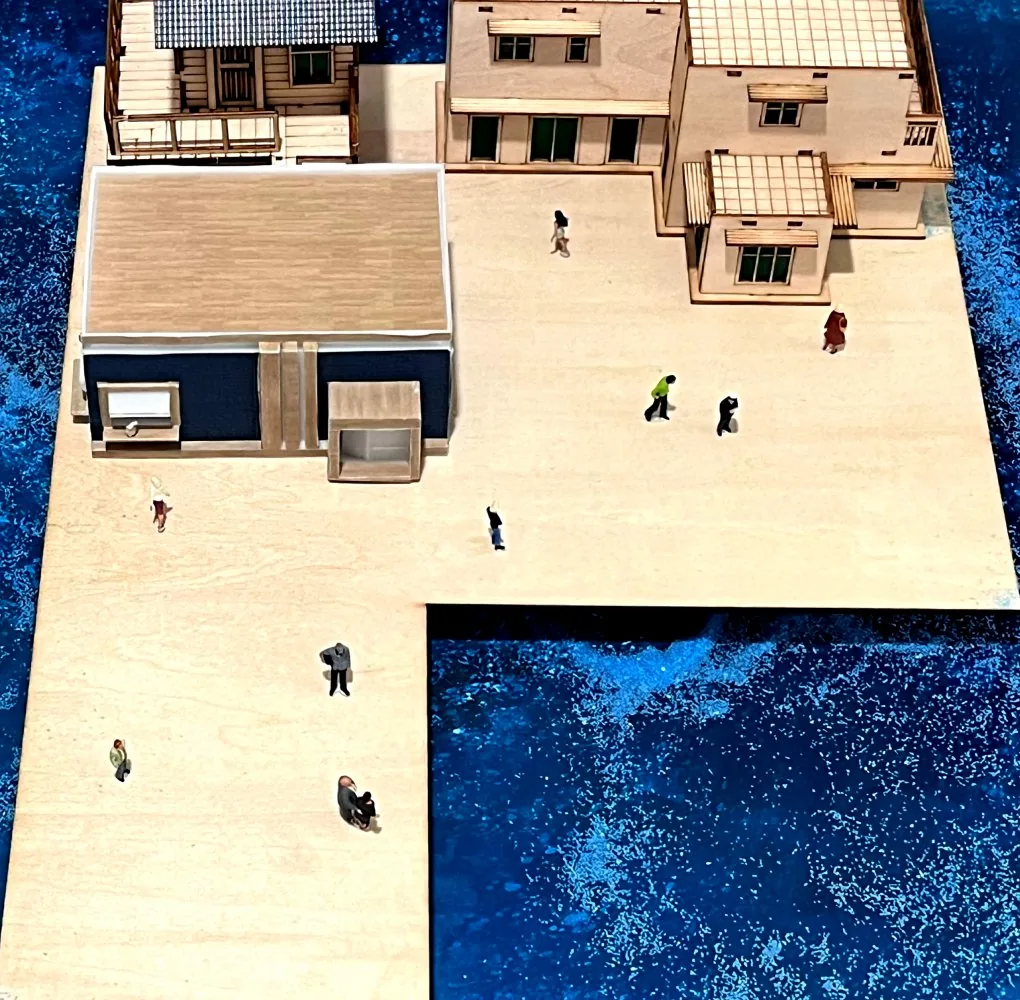
A restaurant service and business model for a flooded Jakarta.
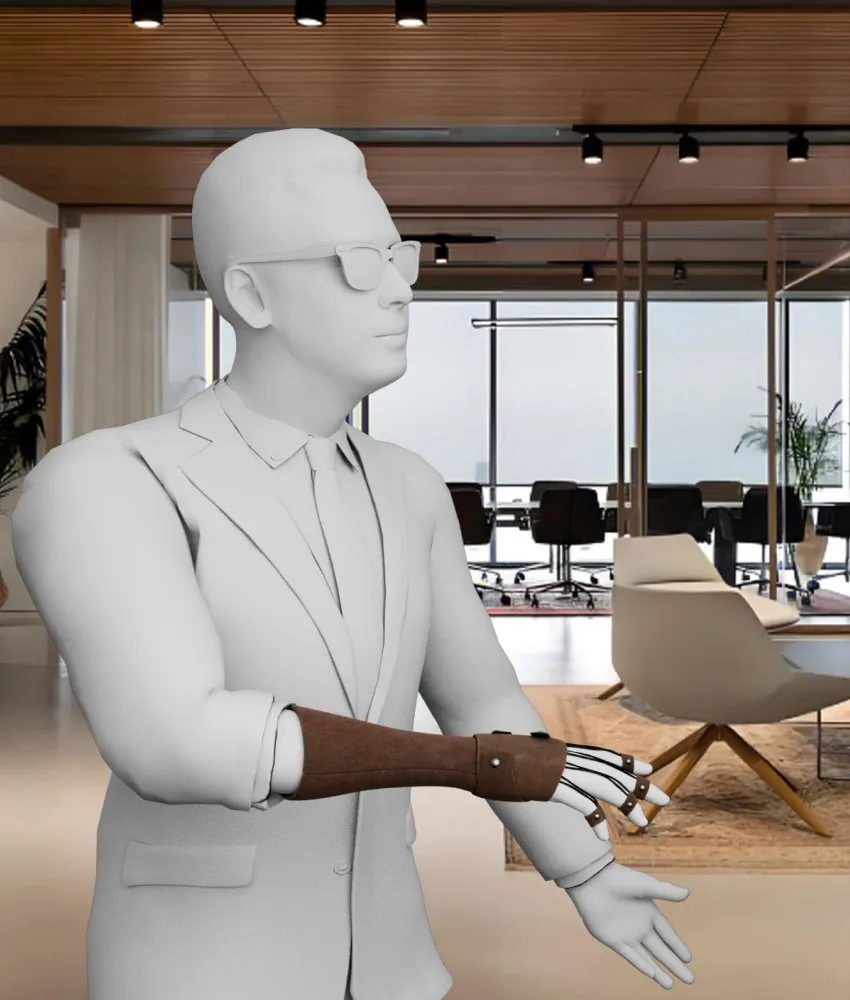
Wearables that translate between sign language and speech.
3
residential developments with our product in their show units
GENIUS · Product Manager Intern · 2026
Read more →~400K
HP laptops a year in mainland China ship with the support client I helped redesign
Beijing Starsoftcomm, an HP supplier · UI/UX Design Intern · 2023
Read more →2022
Contemporary Good Design Award, won by the terminal my team designed
IKD · Interaction Design Intern · 2022
Read more →Alongside the design studio, four business courses: Design and Innovation, Innovation & New Product Management, Strategies for Sustainability, and AI & Society.
London College of Communication. Upper Second-Class Honours.
From China and Thailand to London, then New York.
I spent most of my school years in Thailand, at international schools in Chiang Mai and Bangkok that teach the IB programme. I then studied user experience design in London and design technology at Cornell University, on its Ithaca and New York campuses, and I work in both Chinese and English.
Each move meant a new discipline, new teams and new ways of working, so I have learned to get up to speed on unfamiliar problems quickly. At Cornell I build hardware prototypes and web tools, and I have taken four business courses alongside the studio.
In my internships I joined requirements reviews and acceptance testing with clients and partner companies, and helped set up a progress-tracking process between them. I like to weigh user needs, technical feasibility and business sense together, and to bring people from different backgrounds along to get a product made.
I am open to roles across product management, product planning, UX and service design, whether internships or full-time. I can start full-time after graduating in May 2027, and I am happy to relocate or work remotely.
A plant-care robot with a personality. It senses light and conveys the plant's condition through walking, facial expressions and moods rather than numbers.
Smart planters have reported moisture and light for years, and their reminders arrive on time. Yet the plants keep dying.
Data can tell people what is wrong, but it rarely gets them to act, and a notification is far easier to swipe away than a living thing sulking in front of you. So Sprout turns the plant's condition into behavior: when light runs low it walks toward a brighter spot, and when it goes without care for too long it complains, slowly and stubbornly.
The system runs as a continuous loop: it senses the environment, a language model judges what the change means for this particular plant, and the body acts it out.
The same robot can take on four temperaments. Each is defined by a set of parameters: how sensitive it is, how fast it moves and which emotional states it can reach. Personality is therefore written into the control logic and shapes how the robot responds to its surroundings. I designed this model and the rules behind it.
 ProfessorTurns every status update into a botany lecture.
 Gentle & KindSoft-spoken and encouraging; melts into heart-eyes when cared for.
 TsunderePretends not to care. Secretly the most worried of all.
 Hot-temperedPoke it and it explodes: glaring eyes, zero patience.
The first version was cardboard and hot glue, the second a set of 3D-printed shells, and the third a body that could walk. Once it walked, people began to treat it like a living thing.
 Prototype 1 · CardboardCardboard and hot glue: a first pass at proportions.
 Prototype 2 · ShellsThree ways to make the pot, side by side: 3D-printed, laser-cut wood, a rounded cylinder.
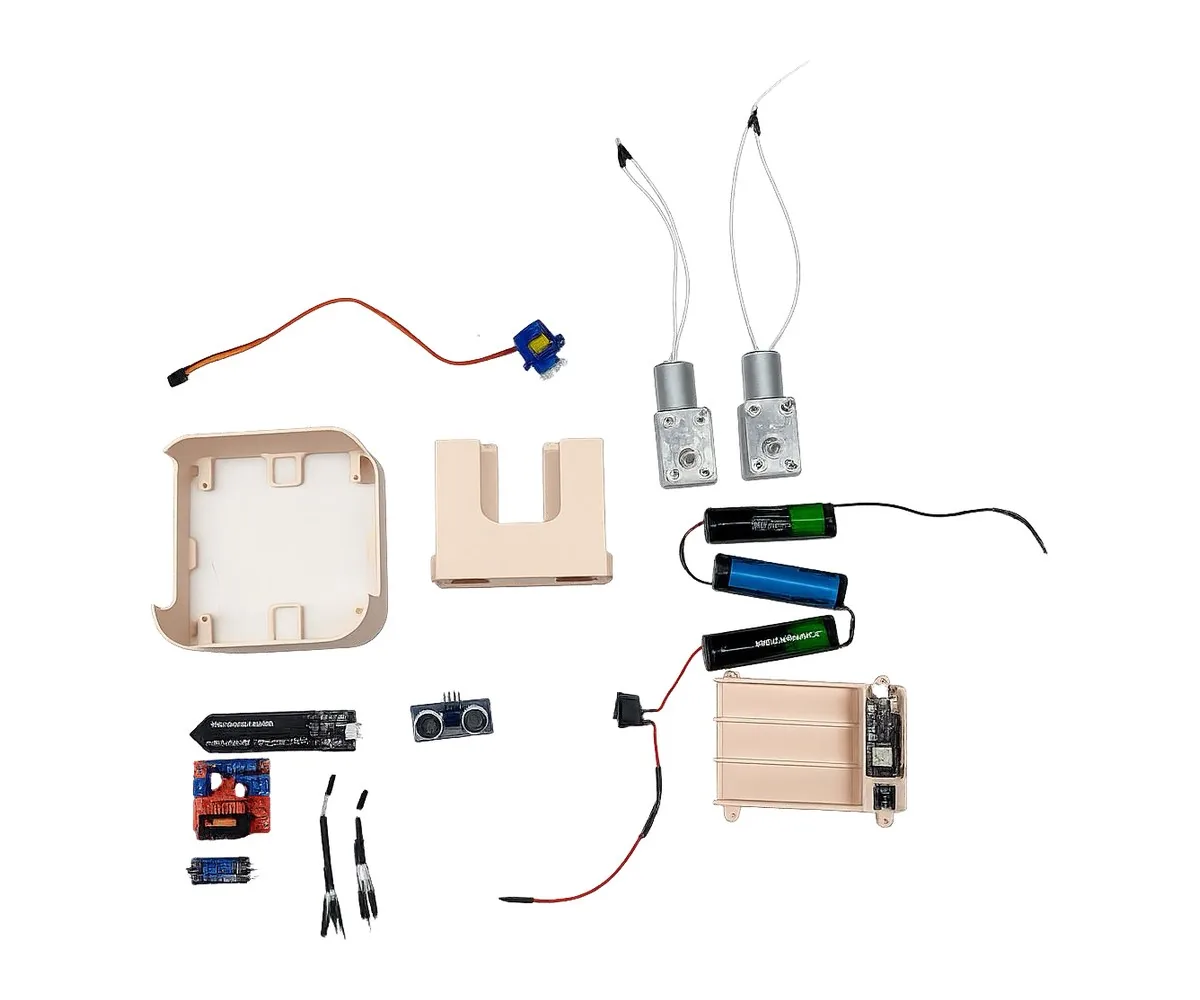
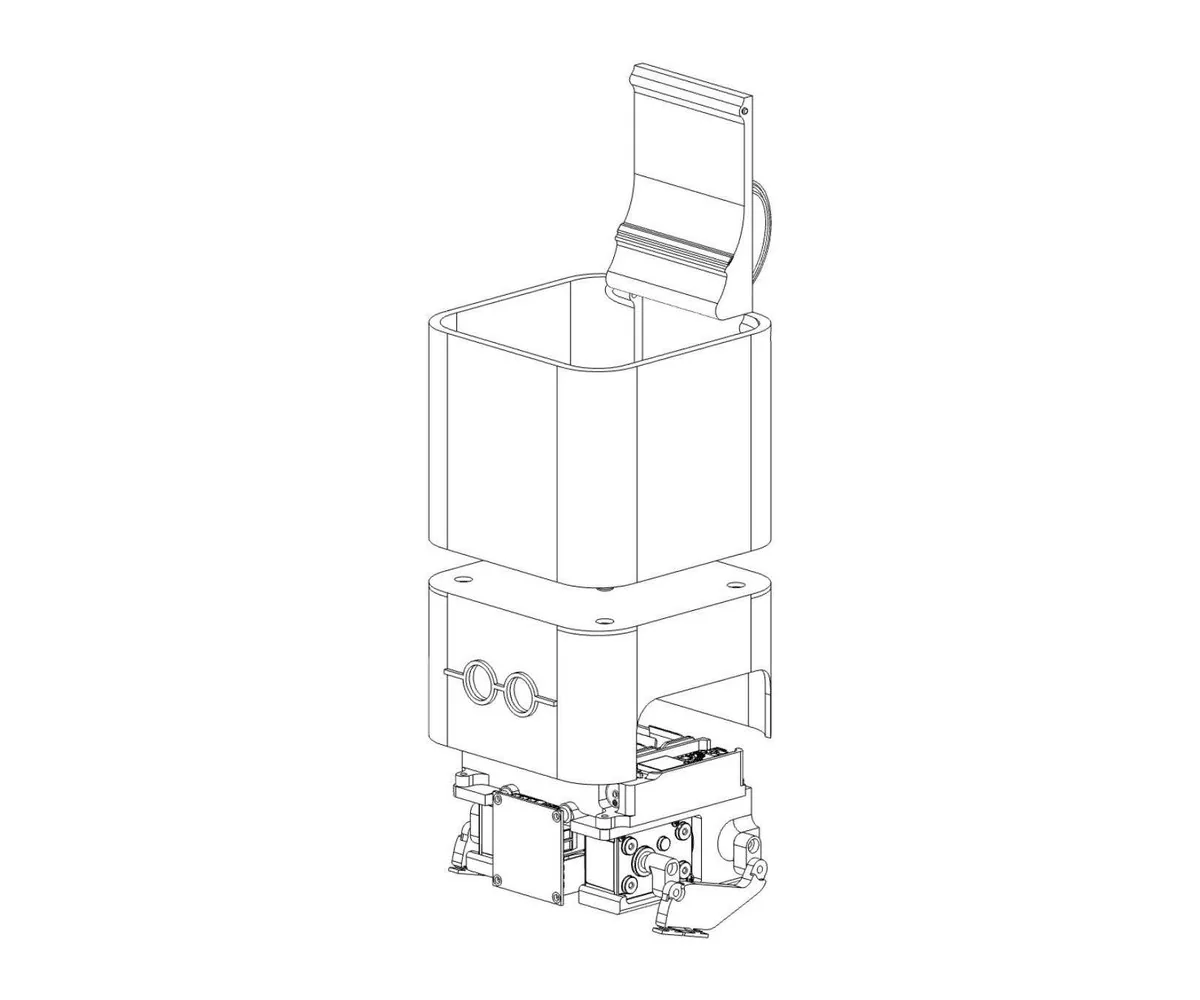
 Prototype 3 · Toward walkingStepper motors, tried and retired. The final build moved to geared DC motors and legs.
We moved Sprout from the workbench to a library shelf for an afternoon, where it sensed, reacted and chatted with passers-by. People who had paid little attention to the screen interface started talking to the robot directly.
 Live test
 Field test · Uris Library
 On the shelf, mid-conversation
A body changes the relationshipAs soon as it moved, people started talking to it. We did not measure this, but we saw it happen again and again.
Constraints made it workRules alone felt stiff, and an unconstrained model was unstable. The final design sits in between: a fixed data format, physical parameters and an adjustable stress value.
Stating the limitsMoisture sensing was designed into the loop, but the sensor arrived too late, so those readings were simulated.
All 10 slides.
A critical design wearable that examines the experience of being watched. The mask blocks the wearer's sight and translates other people's gaze into touch on the face, so the wearer's movement is guided by how others look at them.
Being watched quietly changes how we behave. Because it is so ordinary, its influence rarely gets noticed.
A gaze always carries something: admiration, curiosity, judgment, even hostility. We live under strangers' eyes every day and rarely look back. Follower covers the wearer's eyes and turns the gazes aimed at them into touch. The longer someone looks from one direction, the more the scales on that side move against the cheek, and that becomes the wearer's only way to find a direction.
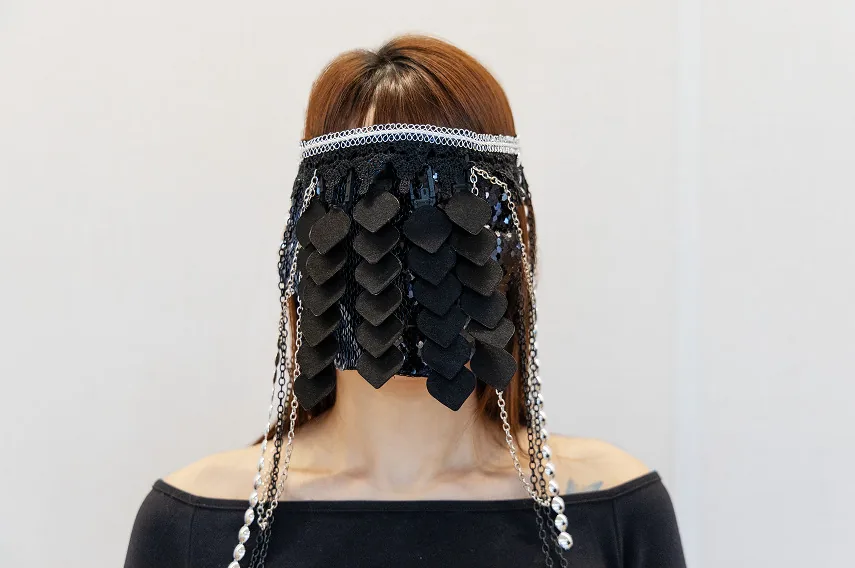
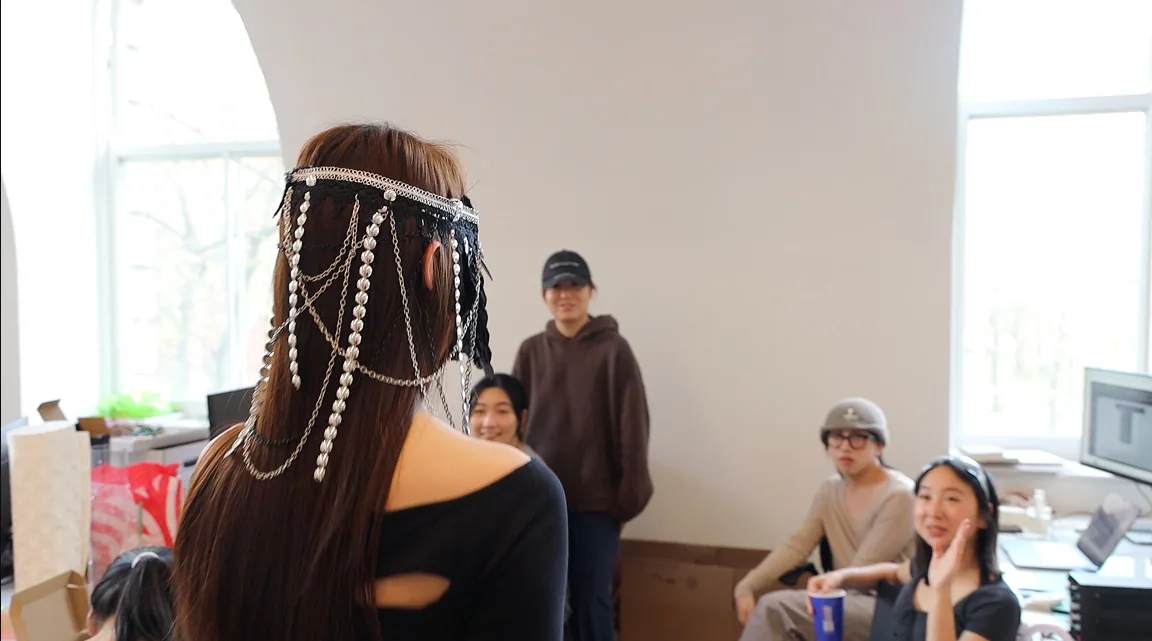
A camera detects who is looking at the wearer, from which direction and for how long. Each direction builds an attention score. The servo for that side lifts its strip of scales, which rise and fall against the cheek through a thin layer of fabric. The wearer feels the touch and moves, and new gazes follow the movement.
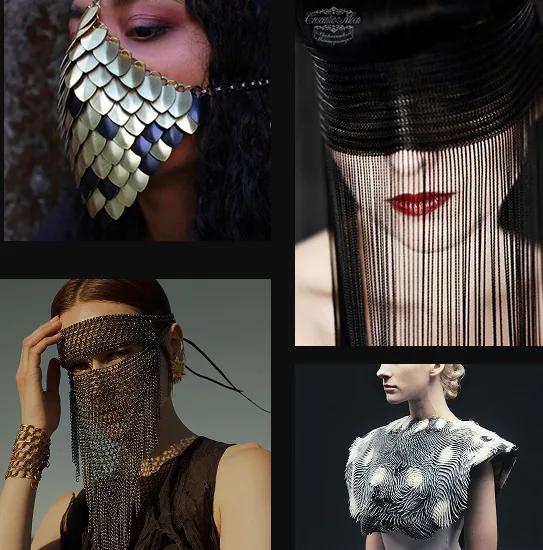
Veils and armor share a double nature: they conceal and display, protect and discipline. Follower borrows from both. From annotated drawings to paper mock-ups and material tests, we built three full versions before the final one.
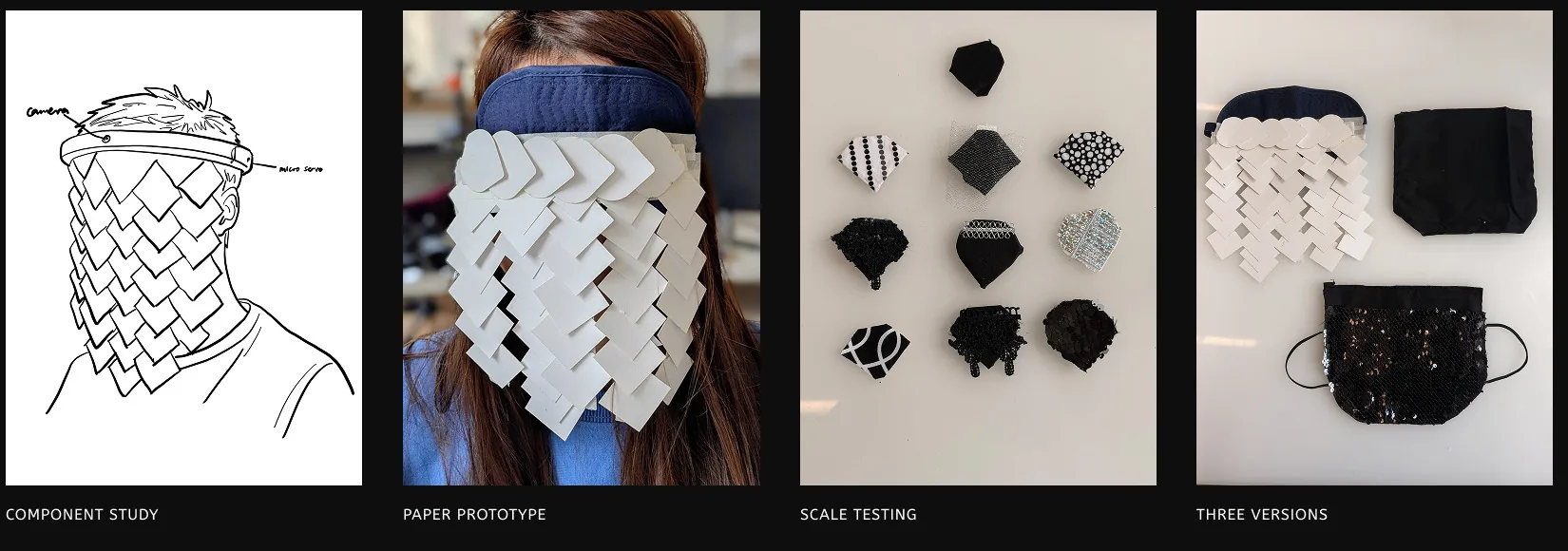
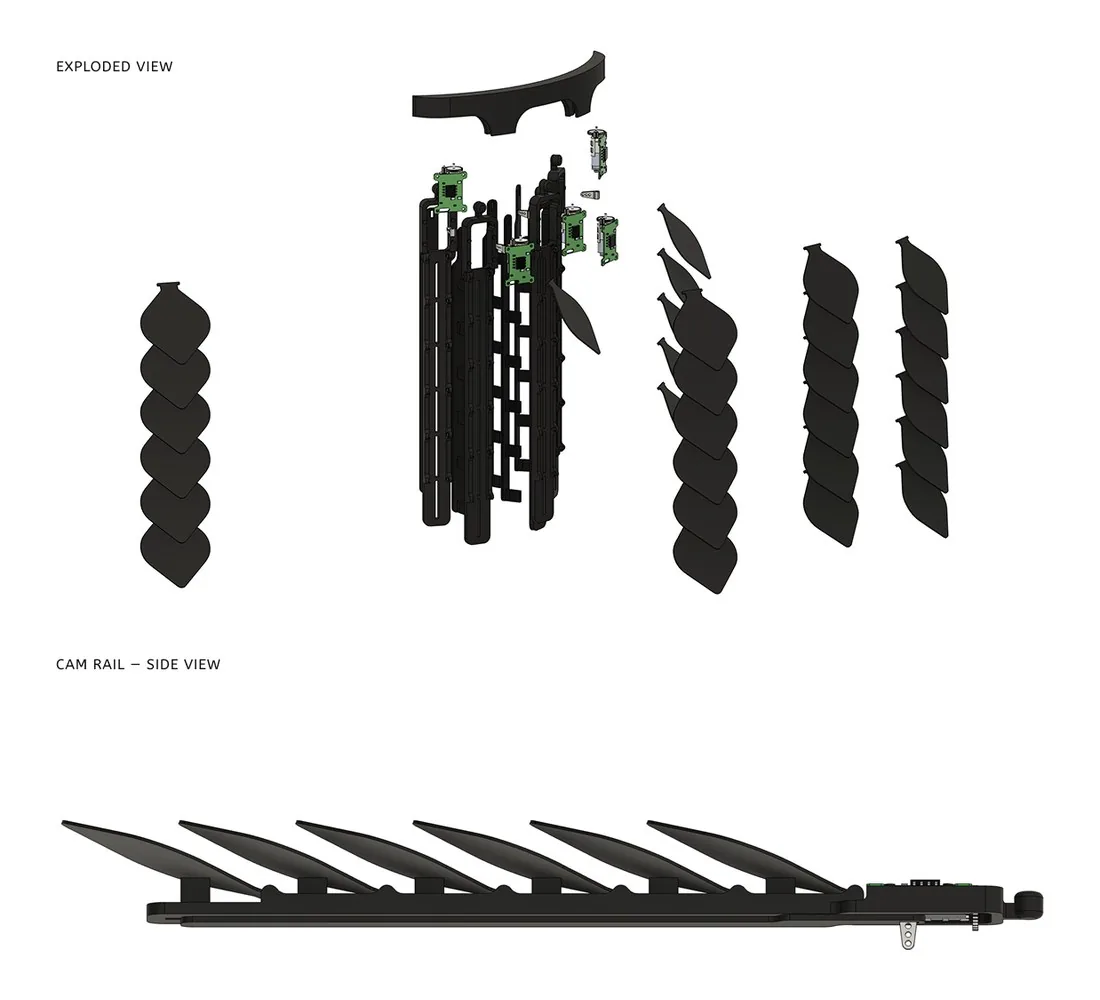
The cloth is the interfaceFabric thickness and tension muffled or amplified every signal. The servo produces motion; the textile decides what the skin receives.
Curved bodies need curved structuresThe printed tracks were straight; the face is not. The next version needs tracks that bend with the body.
The same touch, different responsesSome wearers followed the scales without hesitation, some stood still, and some took the mask off within minutes. Each responded in their own way to eyes they could not see.
This project broadened how I think about design. Besides solving problems, design can turn invisible social forces into something people can feel, and invite them to experience it first-hand.
All 12 slides.
A browser-based design tool for compliant mechanisms, 3D-printed structures that move through elastic deformation rather than hinges. It offers structures drawn from published research and validated through our own printing and testing, so designers can start from a proven geometry.
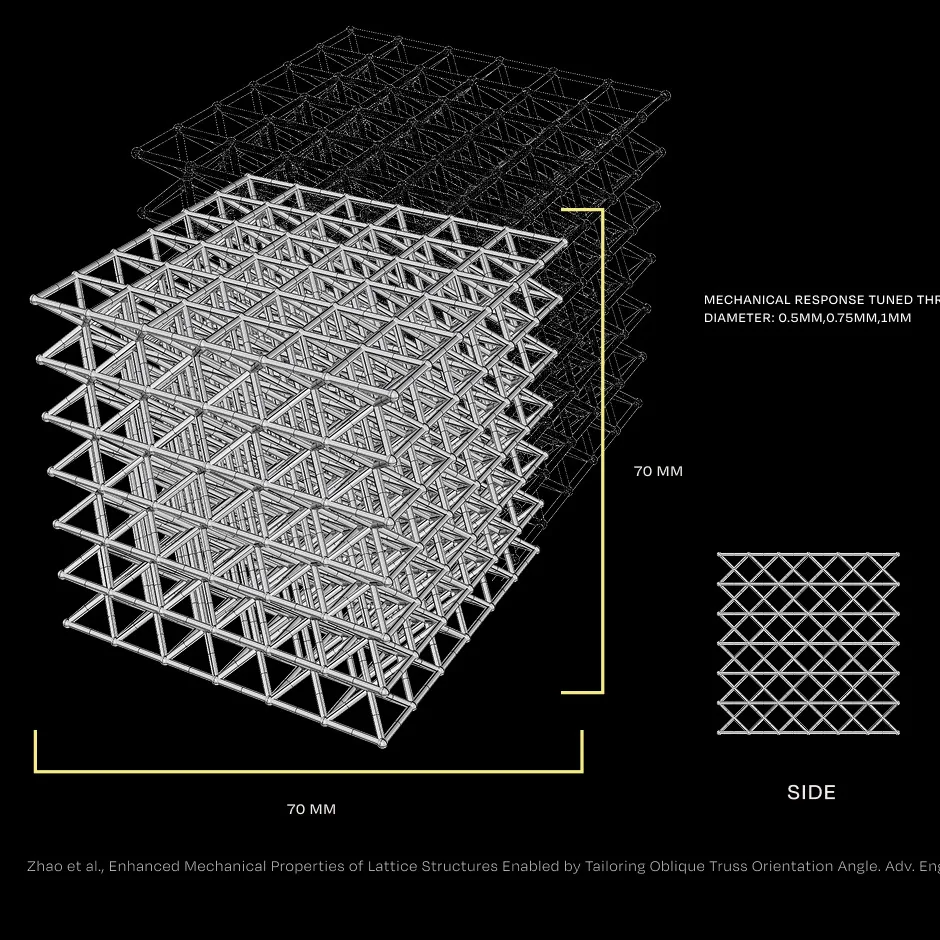
Compliant mechanisms move through the bending of the material itself, with no hinges. They have great potential and are hard to design.
We found three gaps. The design gap: the behavior is counter-intuitive, so small changes have surprising results. The tool gap: simulation is too slow to sit inside early iteration. The information gap: working geometries are locked inside research papers, written in terms designers don't share.
Every user works differently, and a tool that tries to serve everyone rarely suits anyone. So we focused on compliant mechanisms alone and made a few core features solid, rather than building a full software environment.
Not competing on modeling powerThere are many 3D tools. Ours competes on what it already knows: geometries from published research, with printability tested by us.
The opposite direction to existing toolsExisting research tools take a rigid linkage and optimize it into a compliant one. Ours hands over geometries that already exist and tells you whether you can print them.
Why a library is worth buildingStress in a displacement-driven compliant mechanism does not change with scale, so the same geometry works large or small without redesign.
What we chose not to buildAccurate simulation is hard and good tools already exist, so we left it out. Language models help with finding research, not with generating geometry.
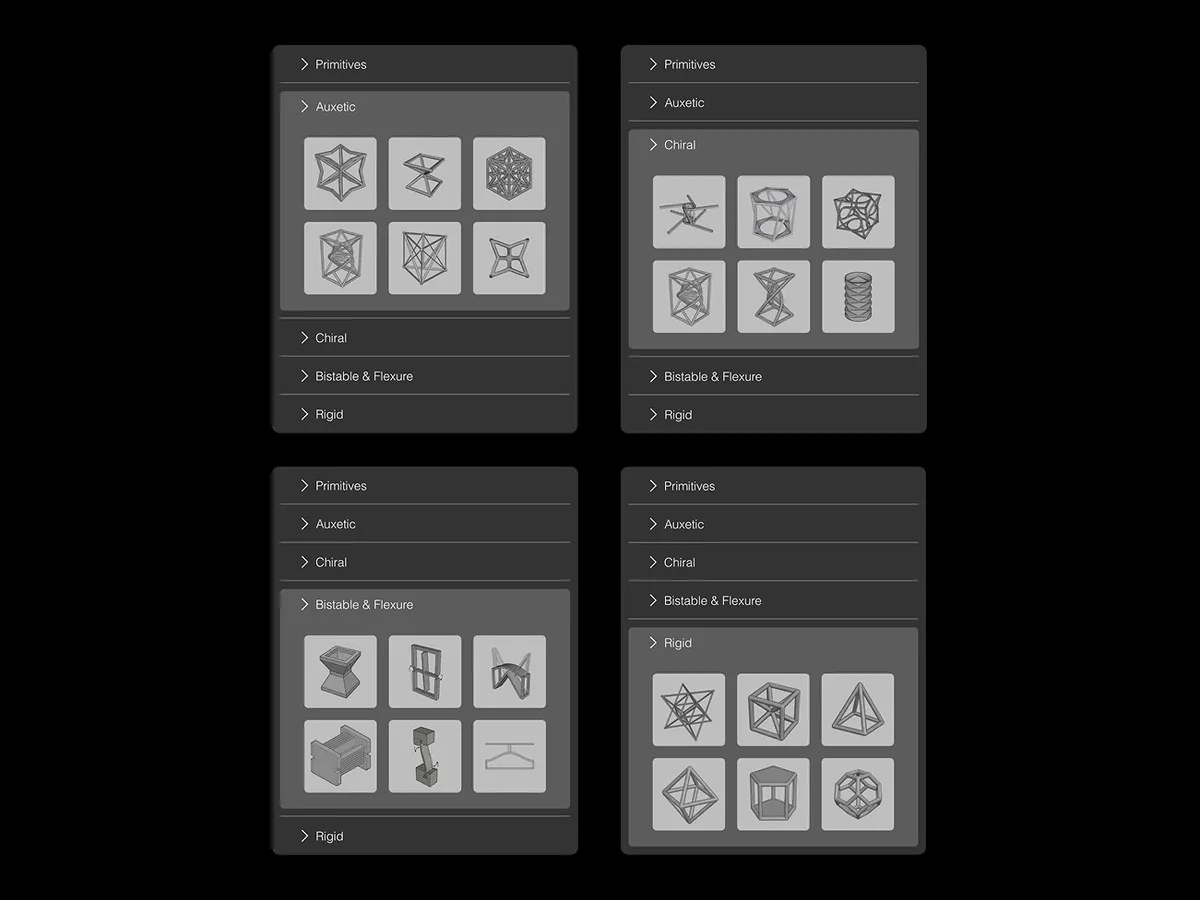
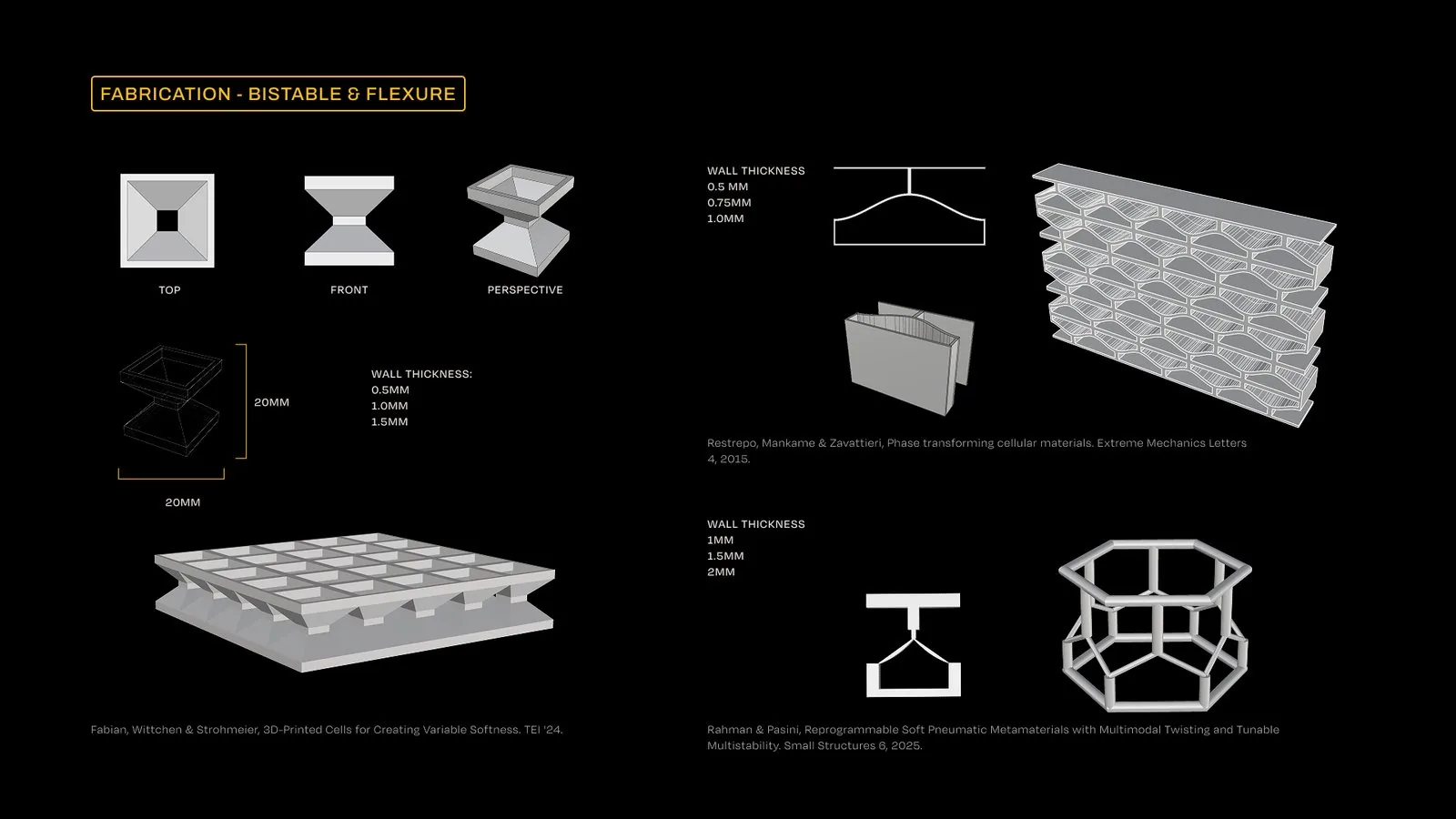
Auxetic, chiral, bistable and flexure, and rigid. Every unit cell comes from published research; the arrays, dimensions and parameter sweeps are ours. In the tool, you pick a cell, drop it in, and start from a geometry that already works.
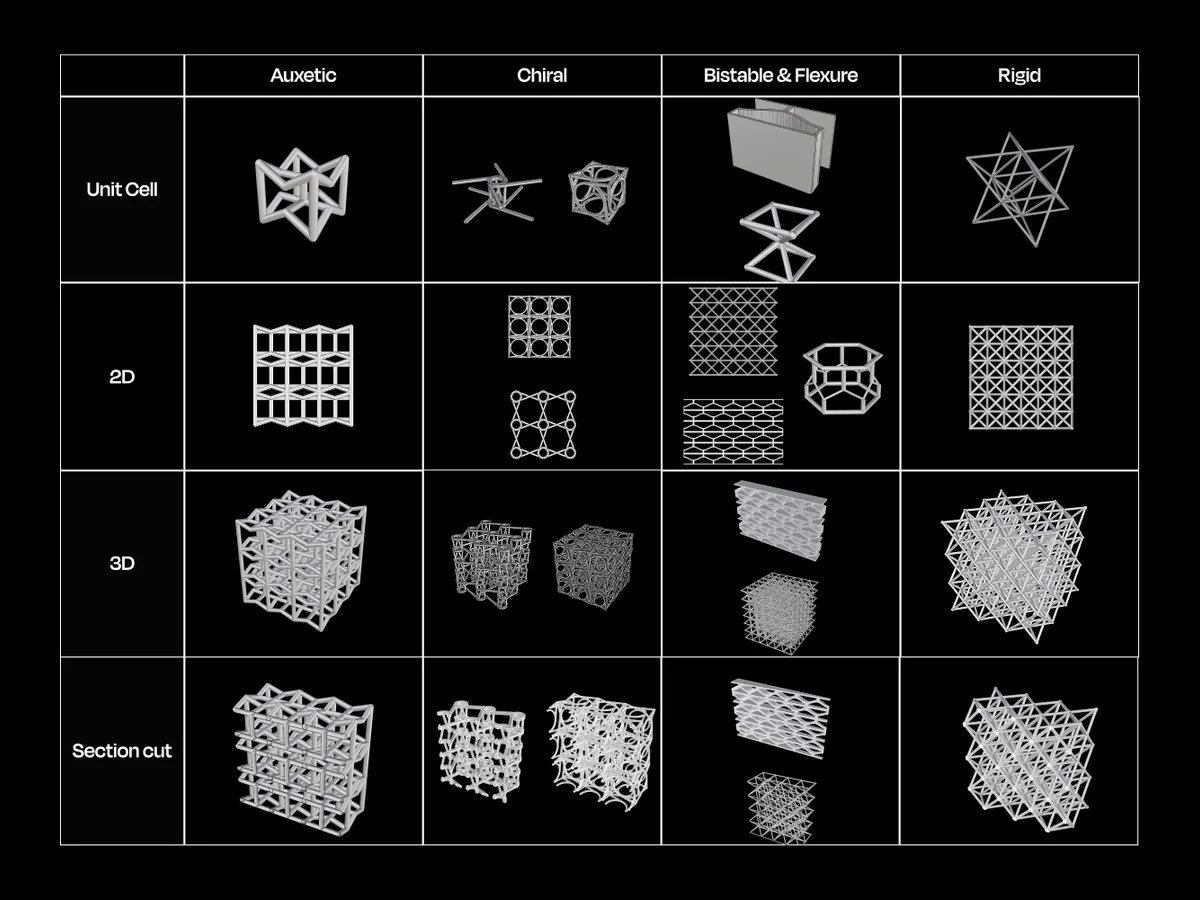
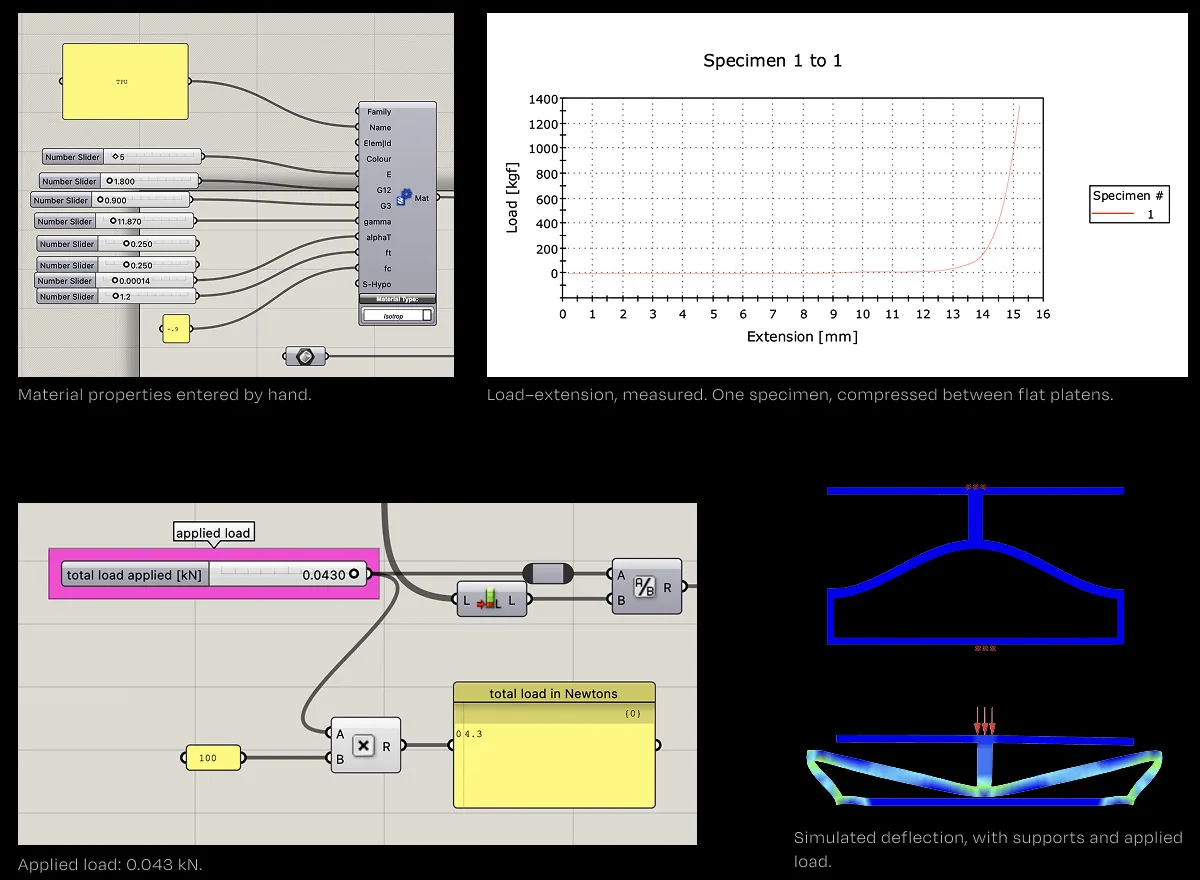
To learn whether one geometry works: model it, print it, load it. Then change a strut diameter or wall thickness by a millimetre and do it all again. We also built each cell in Karamba and compared the simulated result against the printed one. They did not match, so the library is built on printed and tested cells, not simulated ones.
Some cells that passed the load test still sprang back when pressed by hand. The curve confirms the mechanism exists; only pressing it tells you whether it holds. The library carries both.
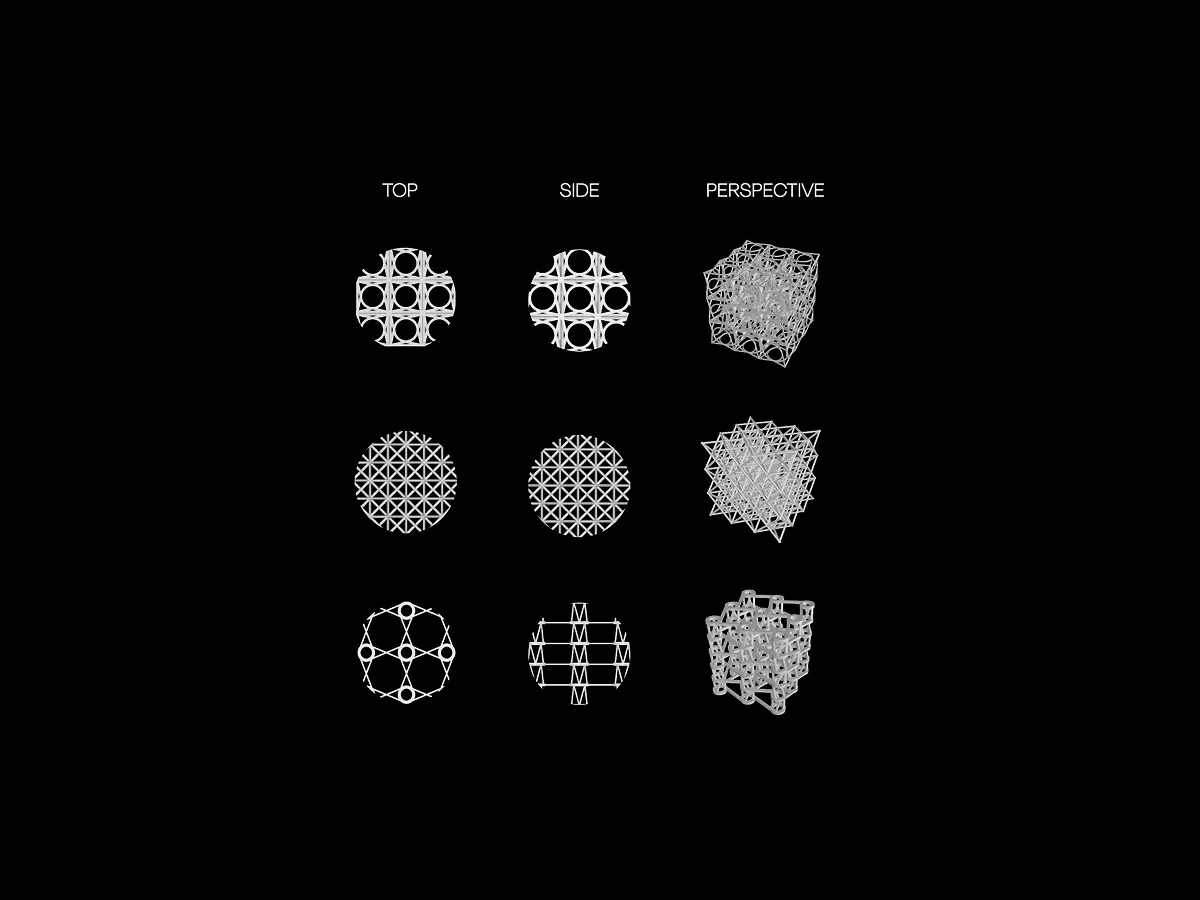
A soft gripper is one shape. What fills it is a choice, and different lattices give it different grips. A game controller's button feel is usually electronics; here it is geometry, and the lattice under the surface is what the thumb meets.
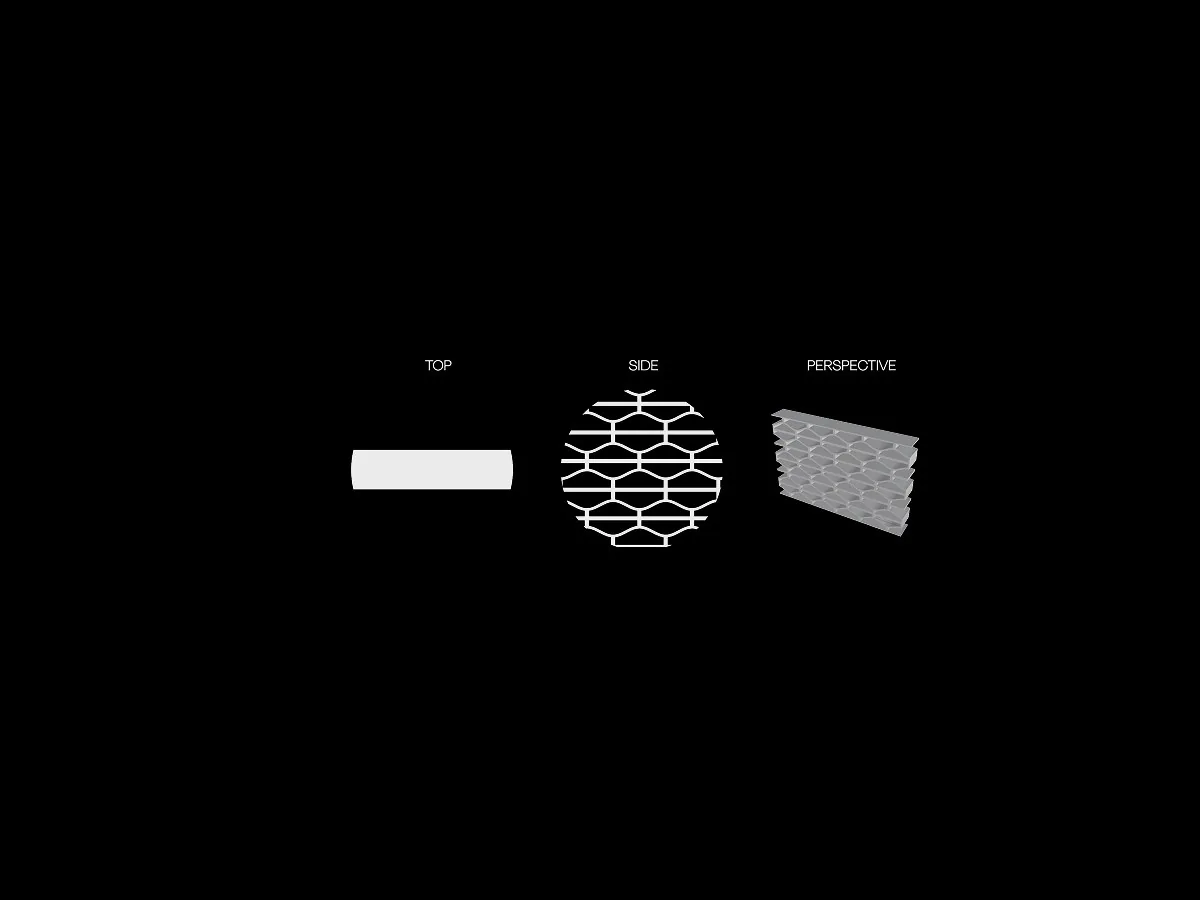
A curve can say yes when the hand says noMachine tests and hand tests answer different questions. A useful library needs both.
Printability shapes the geometryMaterial got trapped in closed or narrow gaps, so those cells had to be redesigned. What works on screen doesn't always survive the printer.
Simulation and measurement did not agreeThat disagreement decided the product: build on tested cells, and don't sell simulation.
14 slides, re-ordered for this portfolio.
A service that helps therapy patients secure insurance coverage for the therapist they need, starting with single case agreement (SCA) requests.
This is a project in progress. The case study will be completed after Demo Day.
Many people in therapy pay the full fee themselves, because the therapist who fits them is outside their insurance network. BenefitFlow helps them use the coverage they already pay for. Our current product prepares a single case agreement request: evidence that the plan has no suitable in-network therapist, so the insurer has to cover the one the patient needs.
The project started from a broad brief: how might we help people navigate the healthcare system? I mapped who takes part, from patients and caregivers to insurers and regulators, and ran three of our first interviews. All three pointed to the same moment: people don't understand their coverage until the bill arrives.
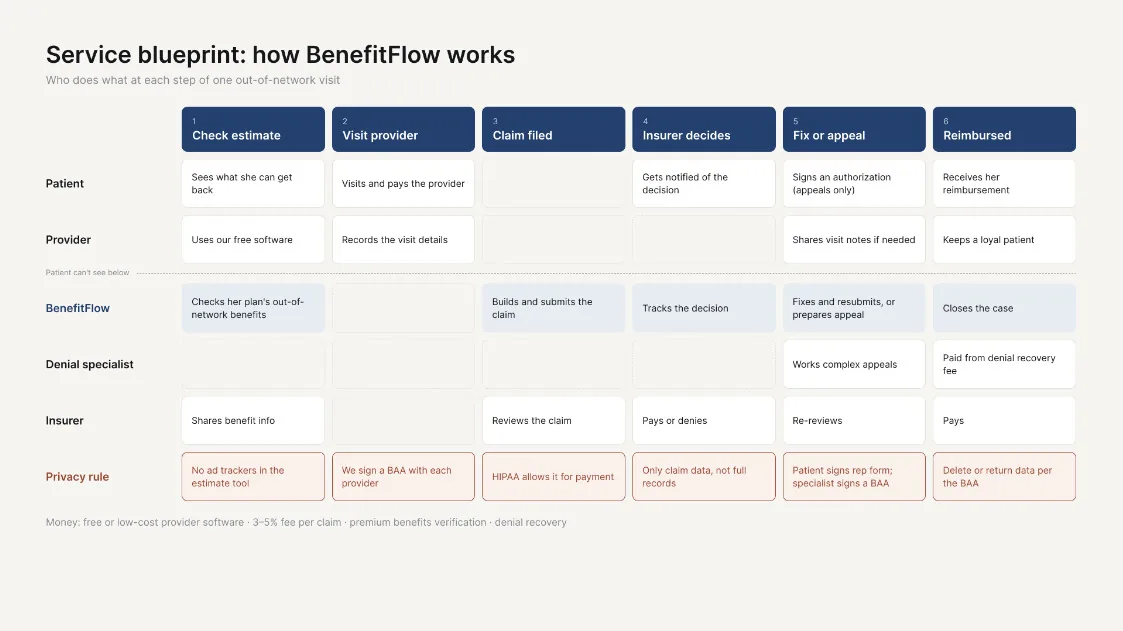
We started by letting patients sell a denied claim, until contract law ruled it out. We moved to authorized appeals, then to reimbursement for out-of-network therapists, where competitors were already working. I set the privacy rules the whole time: billing data only, never therapy notes; an agreement with every provider; no ad trackers; data deleted when a case closes. I also drew the service blueprint so the team could see who does what at each step.
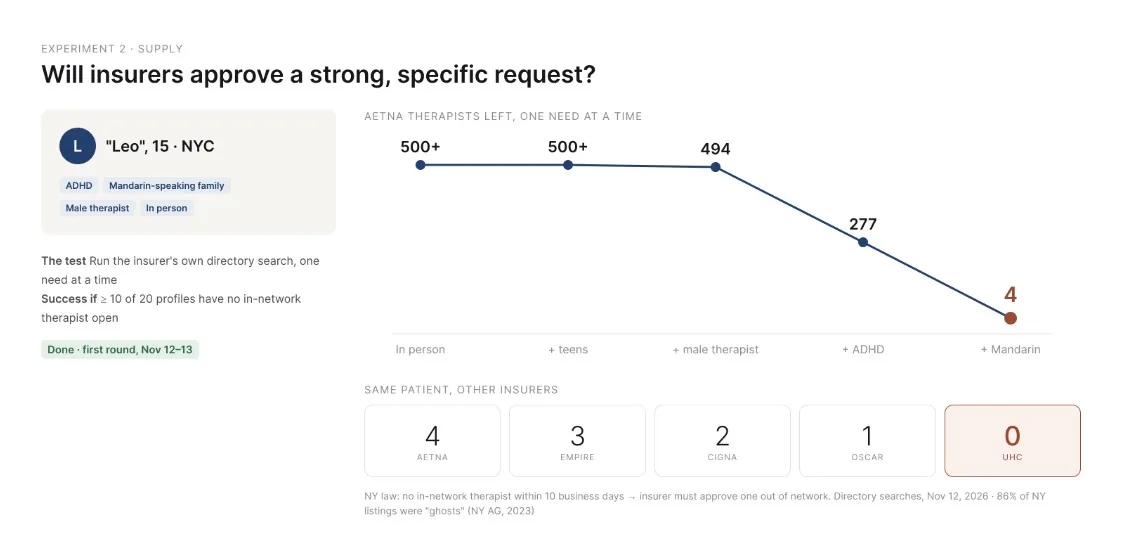
A New York rule says that if a plan has no in-network therapist available within 10 business days, it must approve one outside the network through a single case agreement. We listed 23 assumptions and tested the riskiest first. I led the experiment on supply: I created a realistic patient, a 15-year-old with ADHD from a Mandarin-speaking family who wants a male therapist in person, and searched each insurer's directory one need at a time. With Aetna, 500+ options fell to 4. With UnitedHealthcare, none.
An interview with a practice owner moved our customer, wedge and product toward detailed SCA requests built around one patient's needs. A practice with 15 therapists has signed on to the pilot, and the other two experiments are underway. Next: build the request packet for the pilot practice and present at Demo Day on December 4.
A sleep system of a bedside device and companion app that helps young people who stay up late build a consistent routine across the full night, from wind-down to wake-up. Radar detects presence and sleep state, with no wearables and no camera.
This is a project in progress. What follows is the research and concept so far. User testing and a working prototype come next.
For many young people with early classes or jobs, the hour before bed is the only time that feels like their own, so they lie in bed with their phone and push sleep later. Researchers call this bedtime procrastination. Setting limits on yourself rarely holds: in one small study, about half of the people who set screen limits often overrode them.
I compared five bedside products, from Hatch and Sleepal to the Nest Hub. Most of them fade light and sound once you fall asleep, or run a timer. None of them reads tomorrow's calendar, and none acts while you lie awake past your bedtime. That moment is the one Somnera is built for.
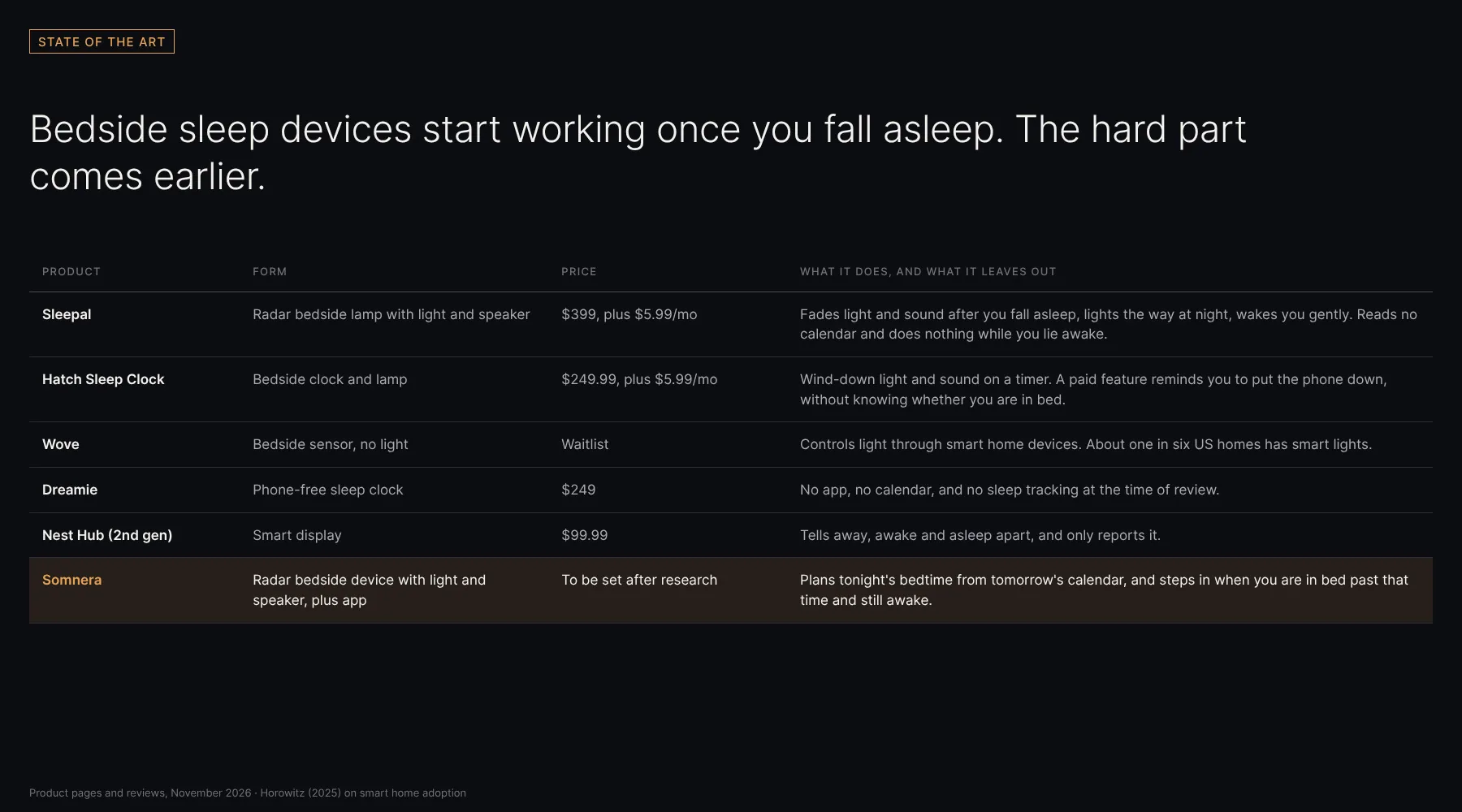
A device that takes the late-night hour away by force gets switched off, so Somnera respects that hour and works on the rest of the night.
Principles: no camera, sound analysed on the device and never recorded, and manual changes always win.
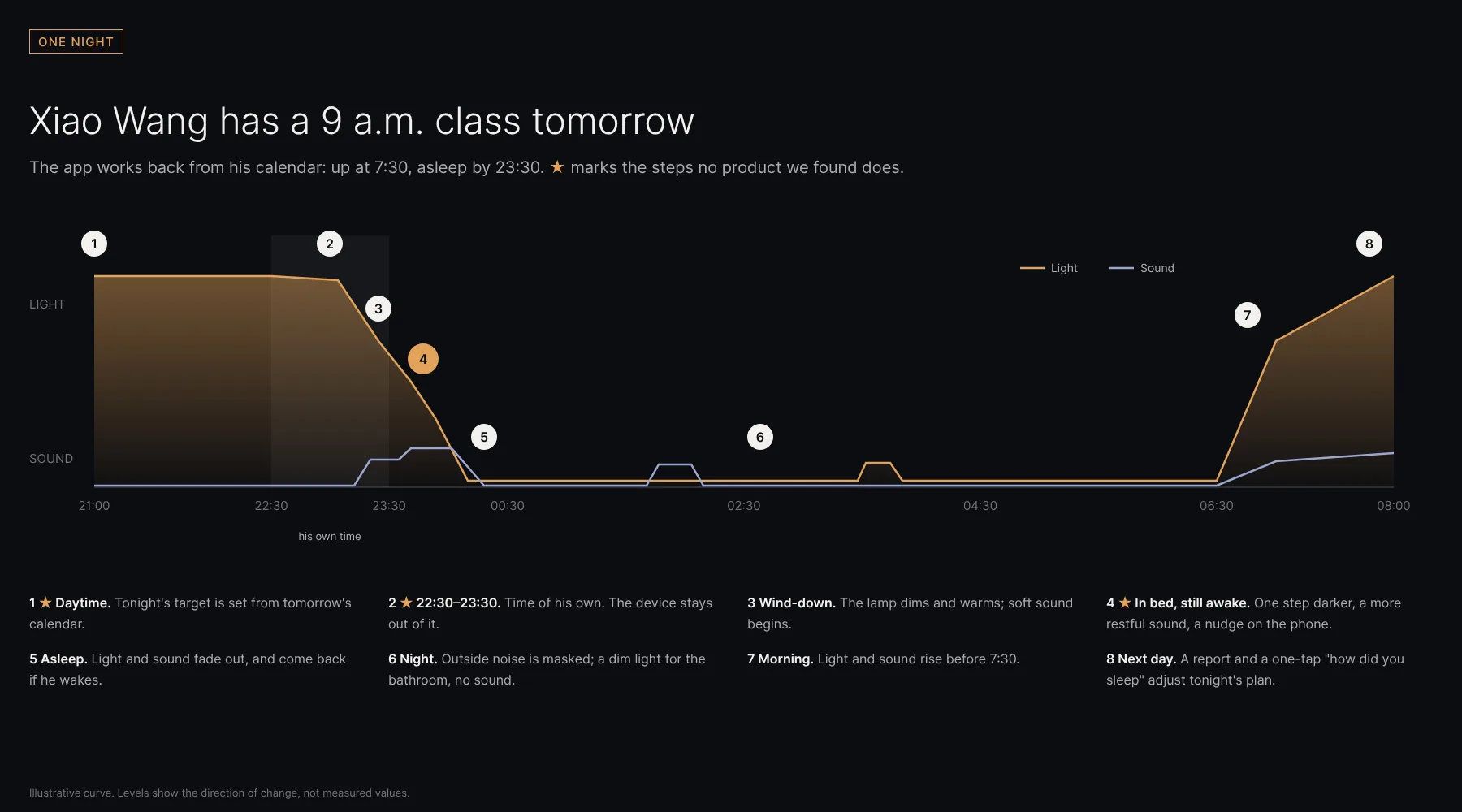
So far: the product definition, user and competitor research, light and sound defaults from published sleep research, and the hardware choice. As a first check, my teammate ran a published sleep model on a sample radar recording, and it told awake from asleep about 88% of the time before any tuning. Over the summer I began testing a radar board for presence in bed, turning over, breathing and heartbeat, with an app to log the actual states; that testing is not finished. Next we will talk to 5 to 10 students who stay up late and complete the awake-versus-asleep test. The goal by May 2027 is a working prototype, user testing and a first business model.
All 9 boards, updated November 2026.
Product manager intern on a smart-home control terminal, working with the client, a partner company and our own team.
Project materials belong to the company, so this page describes the work in words only.
GENIUS (Jingxi Technology) is a technology company founded in Nantong in 2015. It makes hardware and software for smart residential communities and elderly care, including building intercom systems, smart-home control screens and a companion screen for older people. The companion screen was listed in the Ministry of Industry and Information Technology’s 2023 catalogue of recommended products for older adults, the company’s AI video intercom won a Red Dot award, and the company is certified as a National High-Tech Enterprise.
During my internship I worked on its smart-home control screen: an indoor touchscreen that combines the building intercom with home-automation control, so a home does not need a separate smart-home gateway. It was being prepared for a project by China Construction Third Engineering Bureau, a key subsidiary of China State Construction Engineering Corporation, the world’s largest construction and investment group. The partner on the project was Konke Smart, a Hangzhou smart-home and IoT company founded in 2010.
The product has been installed in show units at Qiantan Yuanjing, Xingcheng Center and Yipin. Volume orders are expected when the projects reach the equipment installation stage.
UI/UX design intern on HP's online support client for commercial PCs, which Starsoftcomm builds as an HP supplier.
Project materials belong to the company, so this page describes the work in words only.
Starsoftcomm is a PC management and IT services company founded in Singapore in 2003, with a wholly owned subsidiary in Beijing. Its CooCare platform provides remote management and online support for PCs and smart devices, and its clients include HP, ASUS, Microsoft and Acer. It has been an Intel strategic partner since 2004, as one of Intel’s eight independent software vendors worldwide, and Intel invested in the company in 2005.
As an HP supplier, Starsoftcomm develops HP’s online support client for commercial PCs in mainland China. Business customers use it to get after-sales help from HP’s service engineers.
I worked on the client's interaction design. One change I designed was an engineer list: users can see the engineers who have helped them before and choose the same person again, so service stays consistent from one request to the next.
The version was released in November 2023 and comes preinstalled on HP commercial laptops sold in mainland China, about 400,000 units a year.
Interaction design intern on age-friendly features for the Platual T900, a smart data terminal for older users.
Project materials belong to the company, so this page describes the work in words only.
IKD provides hardware and software for smart elderly care, focused on home-care service platforms and age-friendly terminals. Its main products are an age-friendly companion screen for older people and a smart elderly-care platform, supported by a call and emergency-response centre that runs around the clock. Its clients include Beijing Kangyang Group and Shenzhen Topway Video, and it is certified as a High-Tech Enterprise.
The Platual T900 is a smart data terminal for older users. During my internship, the design team was working on its age-friendly features.
As a member of the design team, I took part in user research and in the interaction design of the age-friendly features.
The terminal won the Contemporary Good Design Award in 2022, organised by Red Dot, and launched in 2023.
An NFC-based service for older adults: cards placed where a need arises let them call a taxi or book a home repair with a single tap of the phone.
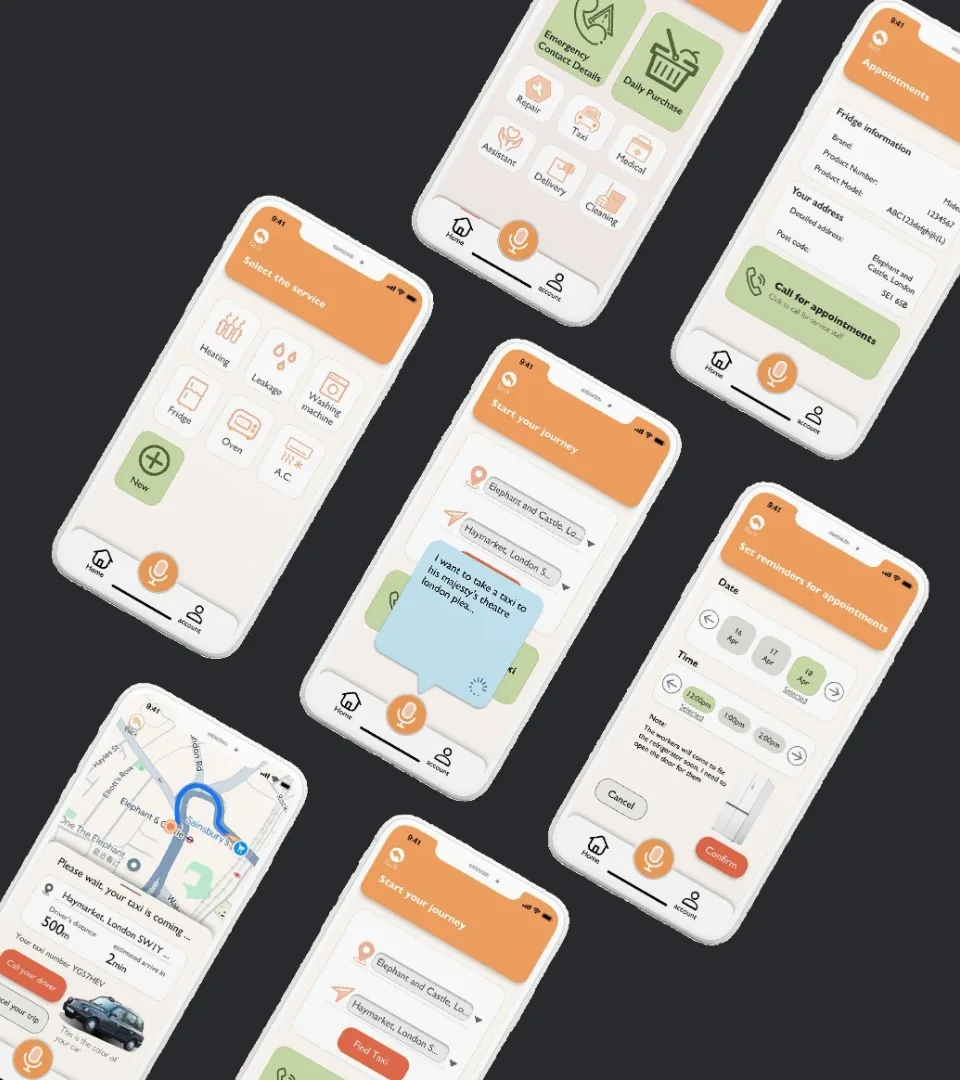
China had 264 million people aged 60 or over in 2020, and most of them live at home. Many own a smartphone, but taxis and repairs have moved into apps. I walked through the taxi flow in Gaode Maps: open the app, find the feature, allow location, set the pick-up point, type the destination, pick from a list, choose a car. Every step asks for reading, searching or typing.
Senior tablets and elderly modes help, but they still start from a screen. A product manager who works on products for older people told me taxis and repairs matter most to people living alone. So I put the start of the service in the room: a taxi card by the front door, a repair card on the fridge. Tapping the phone on a card opens the right page with the location, or the brand, model and address, already filled in.
My tutor said you can't design for everyone, so I narrowed the user to people aged 60 to 75 who already use a smartphone, often with children living elsewhere. Classmates tested paper prototypes and found the screens confusing: too many colours, an orange that was too bright, no clear main action. The final design uses text at 18 pt or larger, icons with labels, voice input on every screen and one main button per page. Family members set up the cards and appliances once.
All 11 boards.
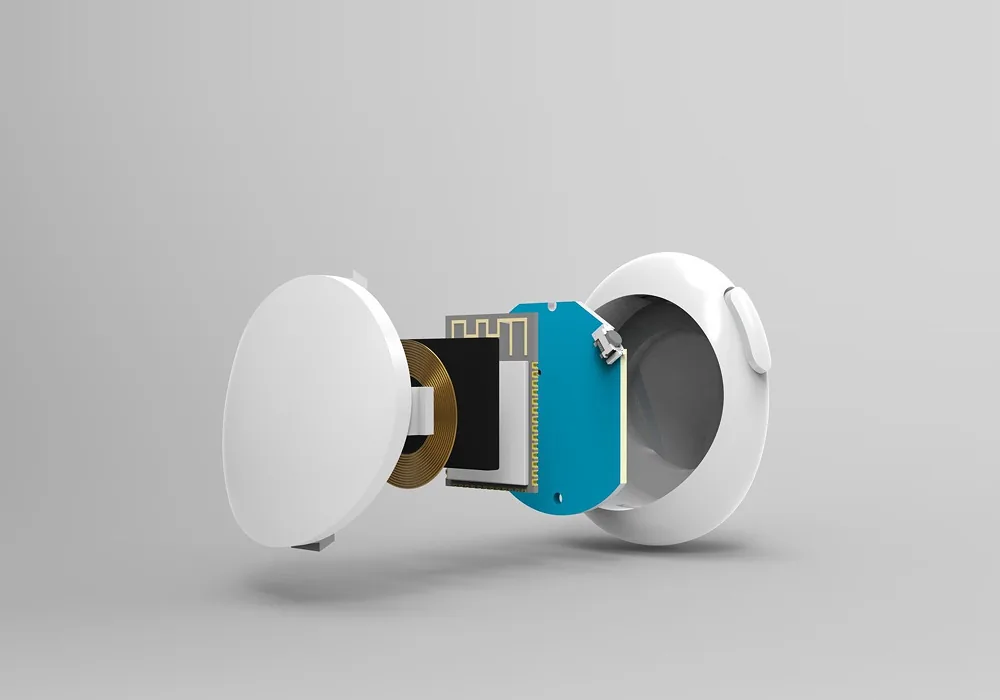
An interactive pendant for people in long-distance relationships, designed so that pressing one lights up its pair far away.
An estimated 30 to 50 percent of students and young adults are in a long-distance relationship. Research links their satisfaction to frequent, responsive contact, not to how often they video call. The touch bracelets on the market all pair through a phone app, so every small "thinking of you" still starts with a phone.
My first version was an anatomical heart for long-distance couples. My professor asked whether it had to be only for lovers, and whether boys would wear a heart. A structural engineer said it was feasible, suggested wireless charging and the components, and helped me draw the engineering drawings. The heart became a soft oval core that anyone could wear, inside a cover the wearer makes their own.
The core is about 32 × 40 × 22 mm, with a back that snaps on without screws. I compared four materials with the school's 3D printing staff, chose resin, and printed the core to check its size in the hand. The electronics are not built yet, so the pendant does not light up. That is the next step.
All 10 boards.
A service system and business model for a family restaurant in a flooded Jakarta of 2100, combining dine-in, pick-up and boat delivery through a single app.
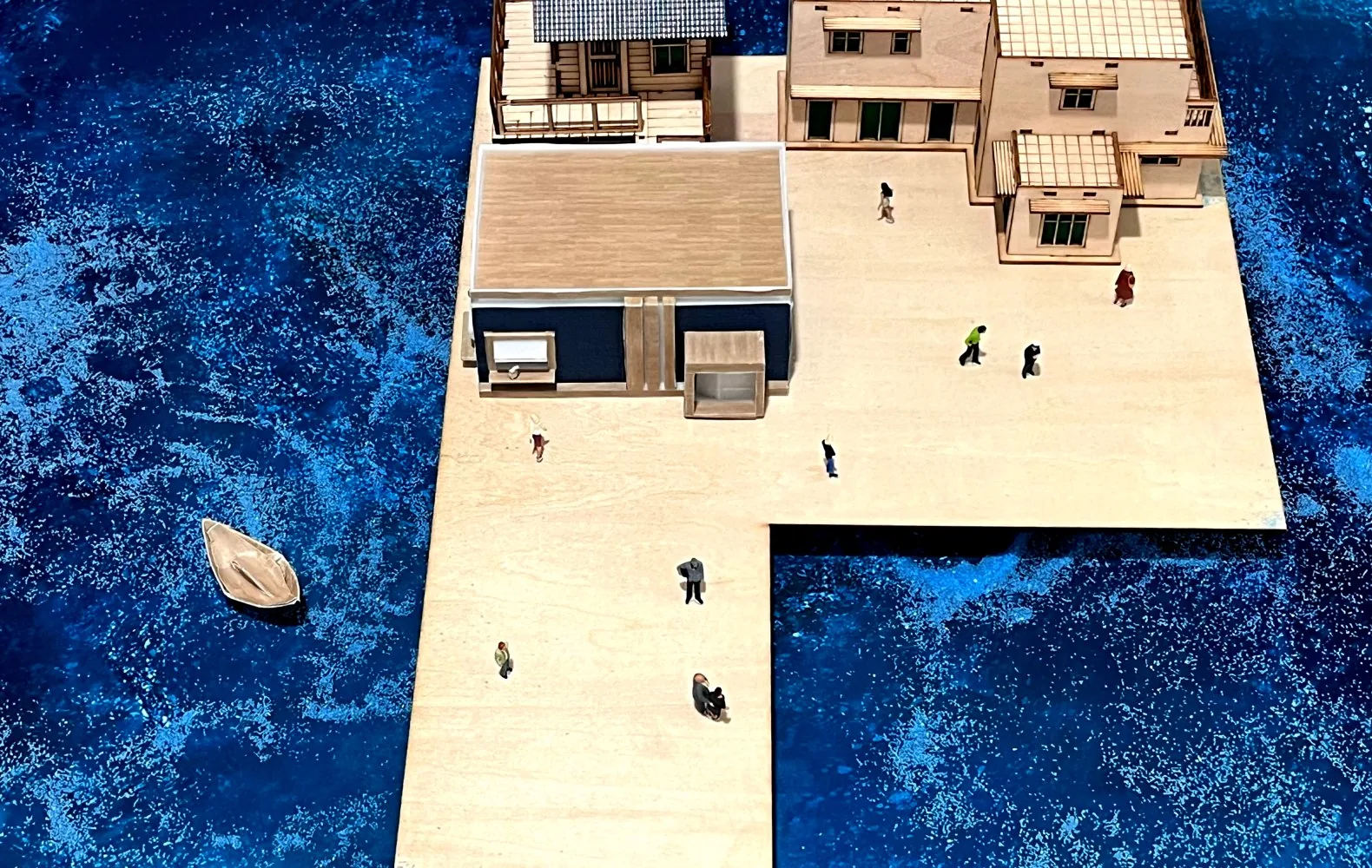
By 2050 a quarter of Jakarta is expected to be underwater, and the government plans to move the capital. Wealthy families can move with it. Low-income families get help from charities and the state. The middle class, many of whom run small restaurants, get neither. I designed for one of them: Tom, who owns a restaurant in the south of the city.
I sorted Tom's problems into rising costs, lost customers and lost space, and wrote How Might We questions for each. The answer was one restaurant with three ways to eat: dine in, pick up, or delivery, all ordered through one app. With fewer seats to fill, staff and floor space go further.
Customers can arrive by road or by boat. A boat sits lower than the shore, so the pickup window on the water side is lower than the one on the street. I mapped every step in a service blueprint, from the supplier and the kitchen to the government inspector.
All 8 boards.
A small robot that moves potted plants into sunlight and returns them indoors once their light needs are met.
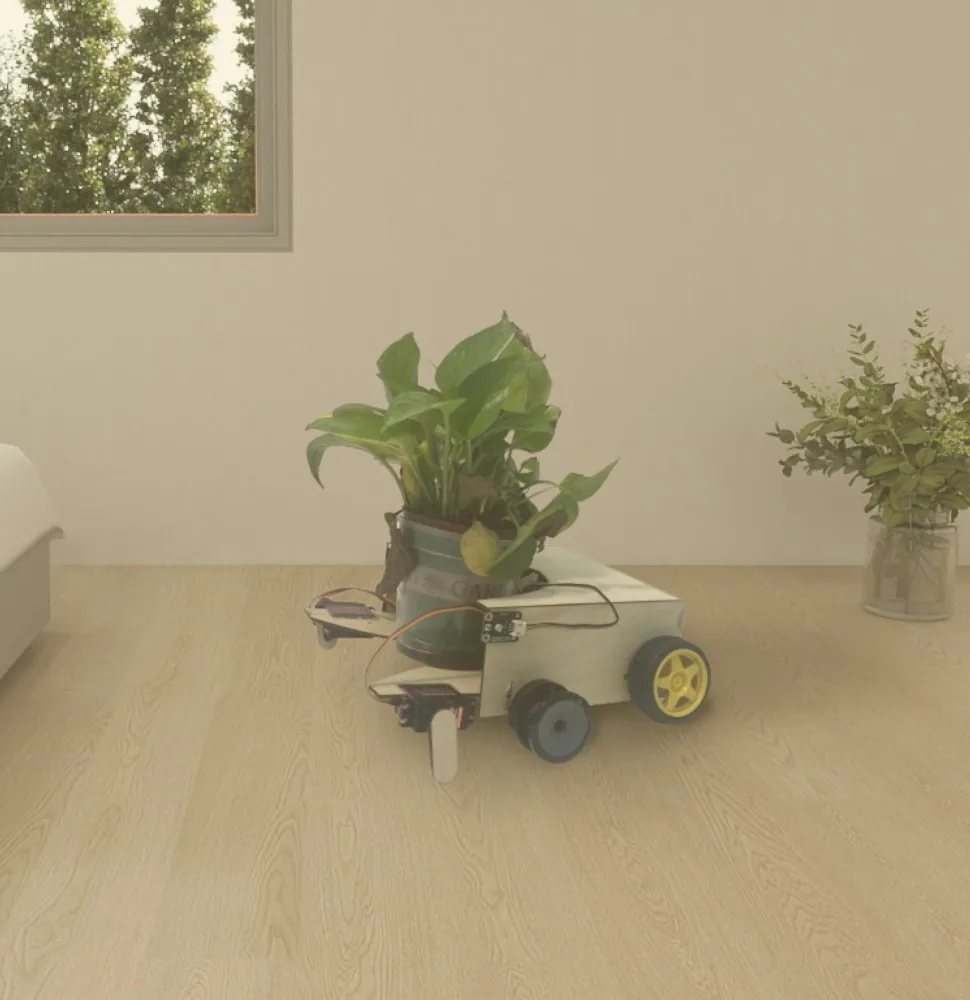
Most young people in cities keep plants indoors, and few know how much light each one needs. Leaves turn yellow, growth slows, and people give up. We wanted plants to get the right light every day, even when nobody is home.
Two light sensors compare left and right, and the robot turns toward the brighter side. A servo lifts the front board to pick up the pot. We tested it under a fill light, then planned a day at home: out to the balcony at sunrise, back to the bedroom in the afternoon.
Our first plan was fully automatic. Then we saw the problem: a user away from home could not change the schedule, or keep one plant inside for the day. We made it semi-automatic, with an app to check on the plants and the robot and change plans from anywhere.
Two years later at Cornell, a teammate wanted to make something cute. I mentioned this robot, and that conversation became one of the starting points for SPROUT.
All 7 boards.
A wearable communication system for deaf and hard-of-hearing people: gloves that convert sign language into speech, and glasses that convert speech into captions.
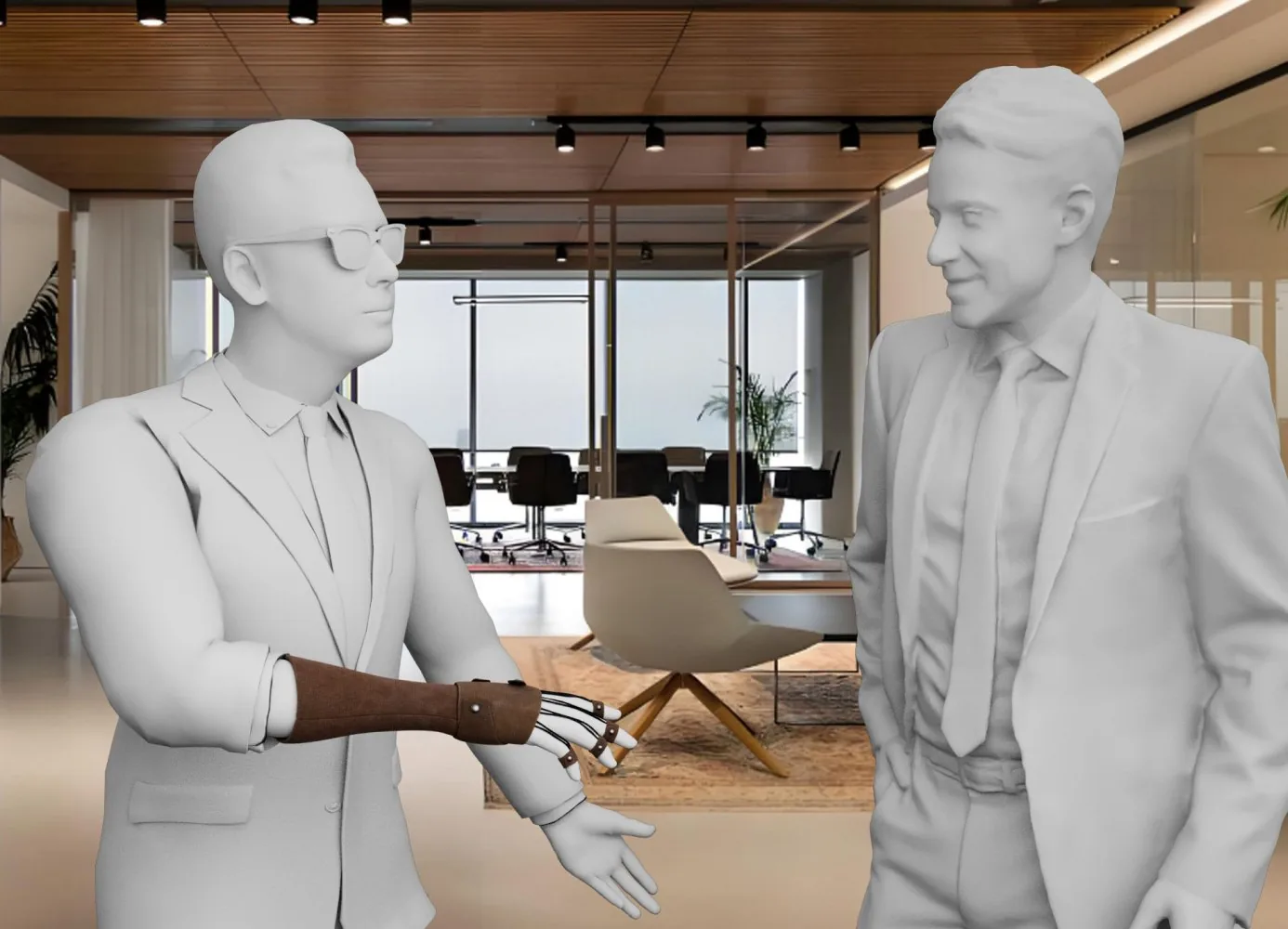
According to the China Disabled Persons' Federation, nearly 30 million people in China have hearing loss, and there are about 10,000 sign language interpreters. People I interviewed said finding work was the hardest part. Outside the deaf community, they had no easy way to be heard or to follow what others said.
I sketched a phone app that reads signs through the camera, and a wearable pair: a glove that speaks and glasses that caption. In a workshop with classmates, the wearable won the vote. It leaves the hands free and works with more than one person at a time.
A flex sensor on each finger measures how far it bends. When the readings match a stored sign, the Arduino plays the phrase through a speaker. Testers said the board on the forearm got in the way and the glove did not breathe, so I moved to a semi-enclosed design. Sensor accuracy and sign context are still the limits, and the glasses stayed a concept.
All 7 boards.